
Network Management
How to select specific row on using Custom poller on Orion web console
Custom poller returned several values but user would only want to extract certain value
First published date
11/14/2019 5:04 AM
Last published date
11/14/2019 5:04 AM
Overview
User is trying to create a custom poller for CPU/Memory on Orion web console.
However, the Memory Poller table is returning 2 values. User would only like to use the first value polled.
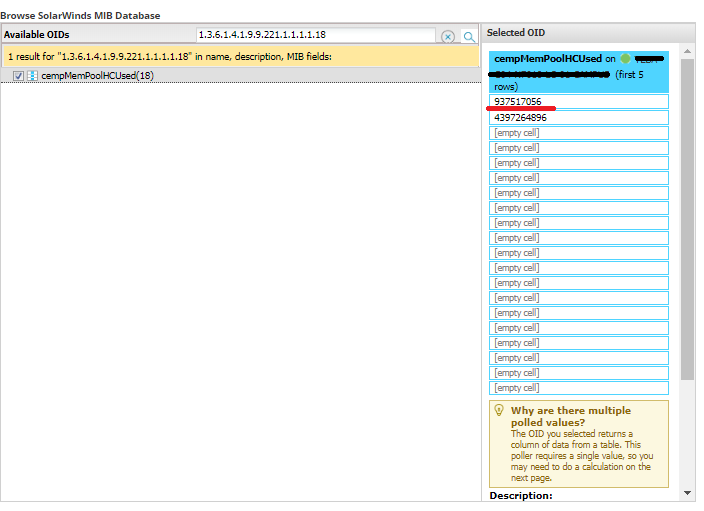
However, the Memory Poller table is returning 2 values. User would only like to use the first value polled.
Product section
Network Performance Monitor
Cause
The OID '1.3.6.1.4.1.9.9.221.1.1.1.1.18' polls the entire memory table.
Resolution
1. Run SolarWinds SNMP Walk to the device that you would like to assigned the poller to.
2. Open the SNMPwalk and locate the exact OID that returns the value
3. Create Custom poller on Orion web console
4. On the Pick Object Identifier screen, scroll down and check the 'Looking for an OID that doesn't exist in our database? It could be brand new!' and input the exact OID to poll.