
Applications Systems
How to monitor shutdown/reboot events on a Windows Server using SAM's Windows Event Log Monitor
This article discusses steps to monitor shutdown/reboot event logs on a Windows Server using SAM
First published date
10/14/2019 2:29 PM
Last published date
10/14/2019 2:29 PM
Overview
Node Rebooted events are monitored in SAM by default thru the Last Boot information of the Node Details page.
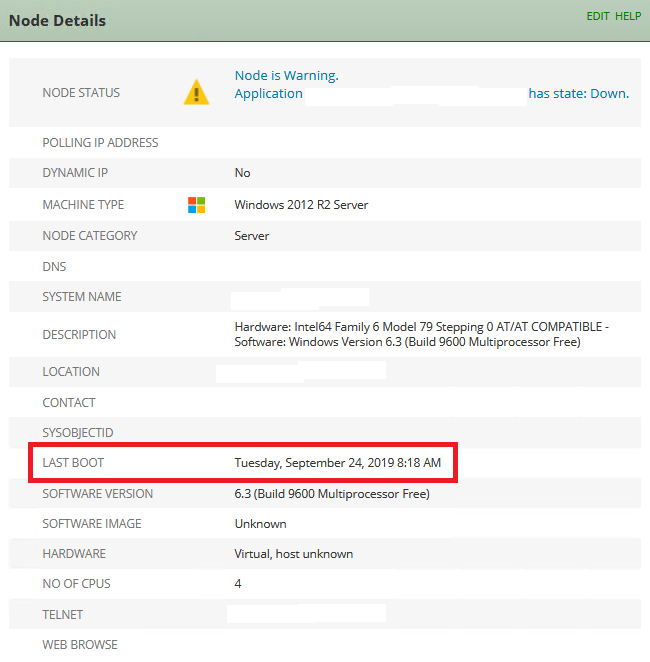
SAM's native monitoring does not provide what type of shutdown/reboot occurred nor other details associated with it. But using SAM's Windows Event Log Monitor component, you can monitor details about the reboot event happening on a Windows Server(e.g. user that initiated the command, type of shutdown/crash/reboot, etc).
SAM's native monitoring does not provide what type of shutdown/reboot occurred nor other details associated with it. But using SAM's Windows Event Log Monitor component, you can monitor details about the reboot event happening on a Windows Server(e.g. user that initiated the command, type of shutdown/crash/reboot, etc).
Product section
Server Application Monitor
Resolution
Create a Windows Event Log Monitor template for shutdown/reboot,crash events
- Go to Settings > All Settings > SAM Settings > Create a New Template
- Add a Template Name, Description, Tags(optional)
- Hit Add Component Monitors
- Check Windows Event Log Monitor on the list, click Add
- (Optional)Rename the Component Monitor and add a Description
- Set the following parameters:
Log to Monitor: System
Match Definition: Custom
Log Source: USER32
Event OD: Match only specific IDs (1074)
Event Type: Information
- Finish the application template by clicking Submit
- Assign the template to Windows Servers
Disclaimer: Please note, any content posted herein is provided as a suggestion or recommendation to you for your internal use. This is not part of the SolarWinds software or documentation that you purchased from SolarWinds, and the information set forth herein may come from third parties. Your organization should internally review and assess to what extent, if any, such custom scripts or recommendations will be incorporated into your environment. You elect to use third party content at your own risk, and you will be solely responsible for the incorporation of the same, if any.