
Tools
How to gather Diagnostic Logs for Kiwi CatTools
This article describes how you can get Diagnostics logs for Kiwi CatTools.
First published date
7/22/2022 9:49 AM
Last published date
4/21/2025 5:02 PM
Overview
Our diagnostics program gathers a detailed set of the Kiwi CatTools Server.
These logs will assist us in rapidly diagnosing your issue.
These logs will assist us in rapidly diagnosing your issue.
Product section
Kiwi CatTools
Resolution
To get the diagnostics follow the steps:
4. In Kiwi CatTools navigate to File and select Enable capture mode
5. Select the impacted activity and click the Run now button
7. A prompt message will appear that will give you options to select what diagnostics files you want to create. Select the files that you want to create and choose
8. Next option will provide you the option to select the device that you want to capture logs to be included and variation files that you want to include. Once you have selected the capture logs and the variation files please select "Create".
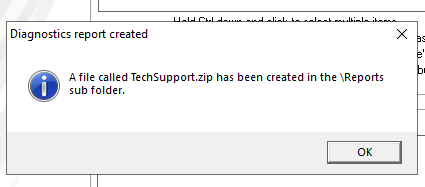
9. After selecting the "Create Tab" a message prompt like the image below will appear. This indicates that a file TechSupport.zip is successfully created.
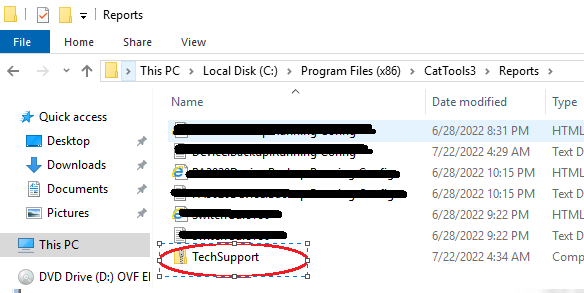
10. The file is located in the folder C:\Program Files (x86)\CatTools3\Reports
11. Send the file to our Technical Support team when creating a ticket so that they can have information about the issues that you have on your Kiwi CatTools Application.
1. RDP to the server where you install Kiwi CatTools Application.
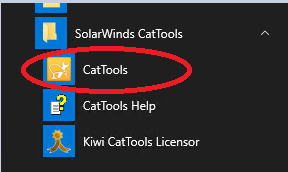
2. Open the Kiwi CatTools
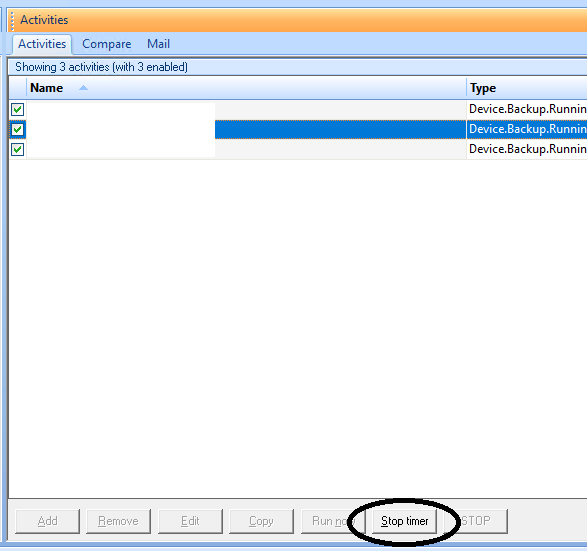
3. On the activities pane select Stop Timer.
2. Open the Kiwi CatTools
3. On the activities pane select Stop Timer.
Note: If the activities is/are not running ignore step 3 and proceed to step 4.
4. In Kiwi CatTools navigate to File and select Enable capture mode
5. Select the impacted activity and click the Run now button
Note: Disable Capture Mode after the activity completes to stop Kiwi CatTools from continuing to create debug logs
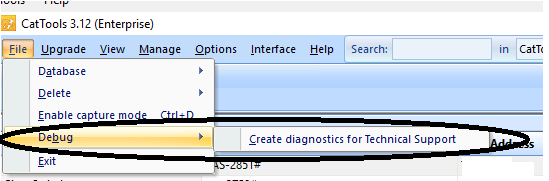
6. After the activity completes navigate to File > Debug > Creature diagnostic for Technical Support
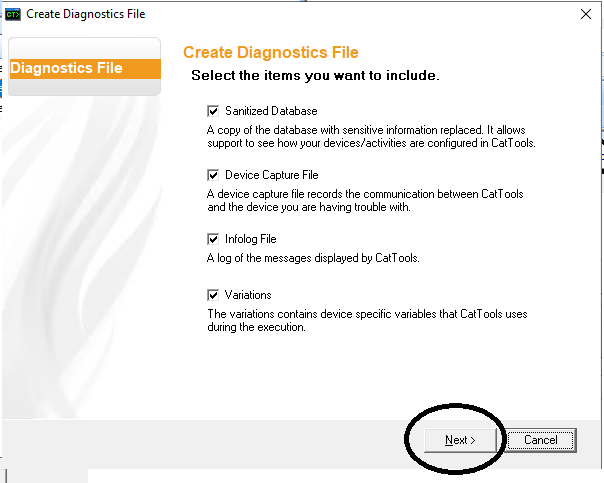
7. A prompt message will appear that will give you options to select what diagnostics files you want to create. Select the files that you want to create and choose
Note: Each checkbox that is ticked must be included in the export of the diagnostics logs. If the impacted device does not have variations untick the Variations checkbox
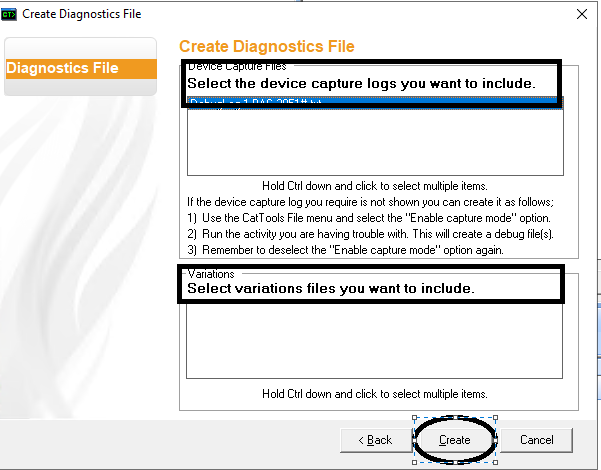
8. Next option will provide you the option to select the device that you want to capture logs to be included and variation files that you want to include. Once you have selected the capture logs and the variation files please select "Create".
9. After selecting the "Create Tab" a message prompt like the image below will appear. This indicates that a file TechSupport.zip is successfully created.
10. The file is located in the folder C:\Program Files (x86)\CatTools3\Reports
11. Send the file to our Technical Support team when creating a ticket so that they can have information about the issues that you have on your Kiwi CatTools Application.