
Network Management
How to create a custom table for UnDP on Group Details page
This article describes how to create a custom table for UnDP on the Group Details page.
First published date
2/17/2022 11:03 AM
Last published date
2/17/2022 11:03 AM
Overview
The article below describes the steps to create a custom table for an existing UnDP on the Group Details page.
Product section
Network Performance Monitor
Resolution
1. Access the Group Details Page: Settings > All Settings > Under NODE & GROUP MANAGEMENT click on Manage Groups. Select a Group
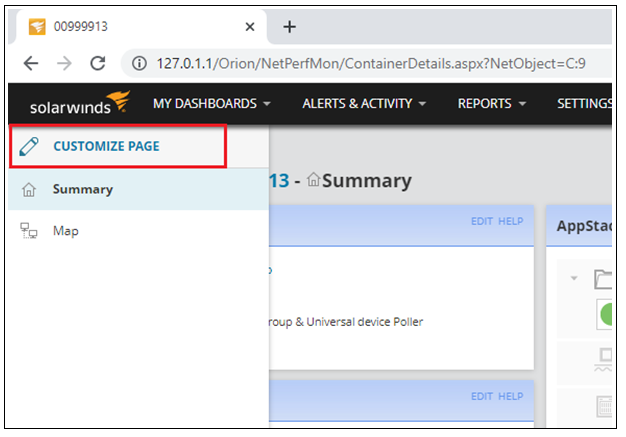
2. On the left side menu, select Customize Page
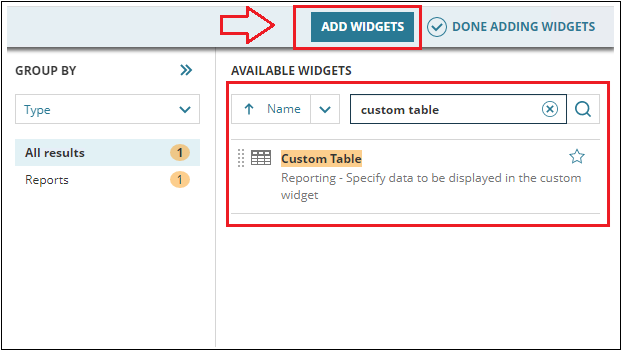
3. Click on Add Widget (right side on the top of the page). Search for Custom table
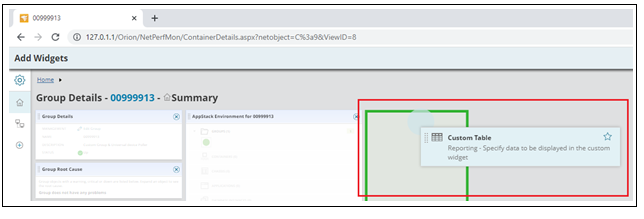
4. Drag the custom table to the Summary page.
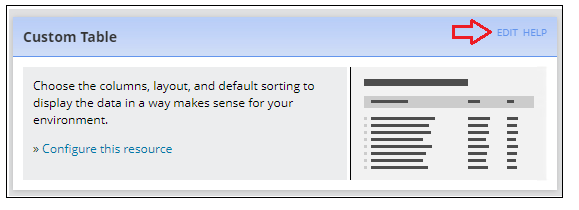
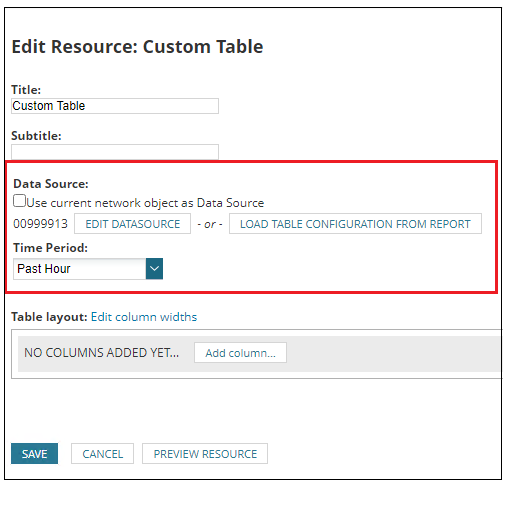
5. Edit
6. Disable the option 'Use current network object as Data Source'
Select EDIT DATA SOURCE:
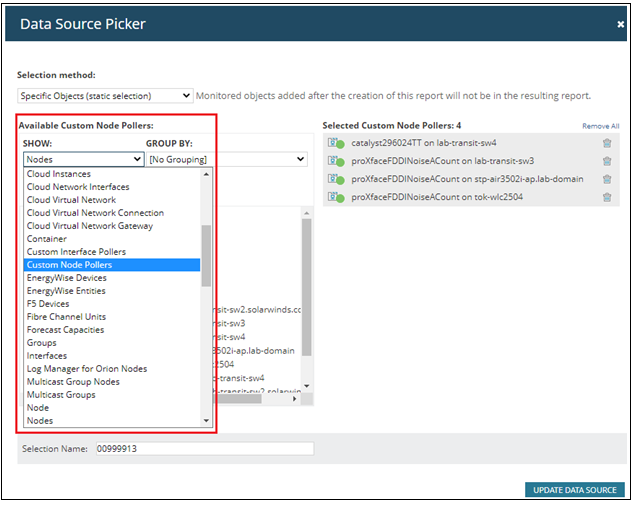
7. Under 'data source picker page' select Custom Node Pollers
Manually select the custom device pollers you need. Update it.
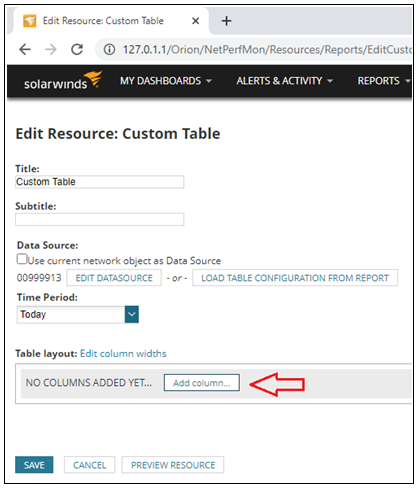
Add columns:
For example Unique Name, Node Name, Current Value, Description, Status, etc.
2. On the left side menu, select Customize Page
3. Click on Add Widget (right side on the top of the page). Search for Custom table
4. Drag the custom table to the Summary page.
5. Edit
6. Disable the option 'Use current network object as Data Source'
Select EDIT DATA SOURCE:
7. Under 'data source picker page' select Custom Node Pollers
Manually select the custom device pollers you need. Update it.
Add columns:
For example Unique Name, Node Name, Current Value, Description, Status, etc.