
Network Management
Report showing Polling Method on Windows Devices in Orion
This article will show how to create a report for Polling Method on Windows Devices.
First published date
5/27/2020 10:40 PM
Last published date
3/16/2022 4:37 PM
Overview
Article will show the by step Procedure how to create report for Polling Method on Windows Devices.
I also added SQL query to check it via Database Manager.
I also added SQL query to check it via Database Manager.
Product section
IP Address Manager
Resolution
-Setting
-All Setting.
-Manage Reports
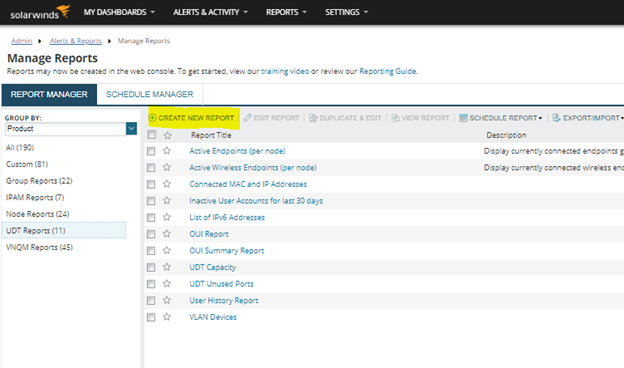
-Click "CREATE NEW REPORT".
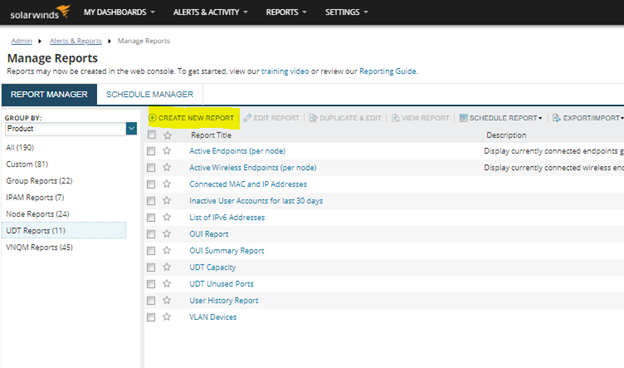
-Select "Custom Table".
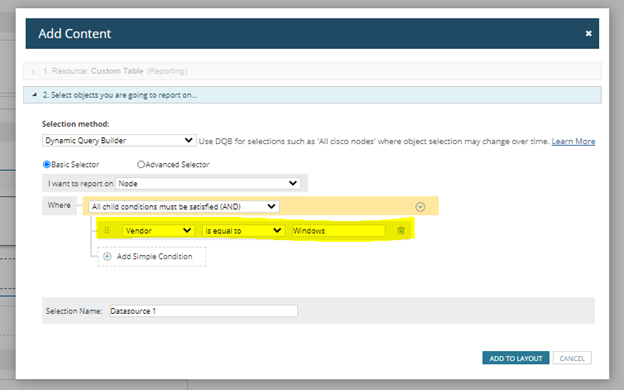
-Choose "Basic Selector"
-Replicate the condition on the below Image.
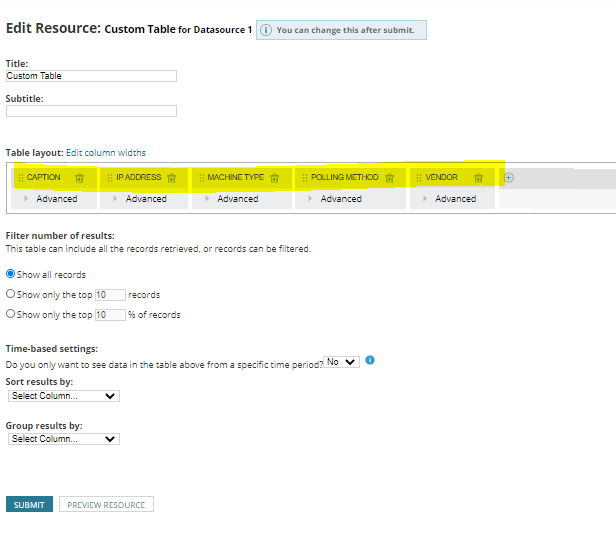
-Add CAPTION, IP ADDRESS, MACHINE TYPE, POLLING METHOD AND VENDOR on Table layout.
-SAVE IT.
Sample Result.
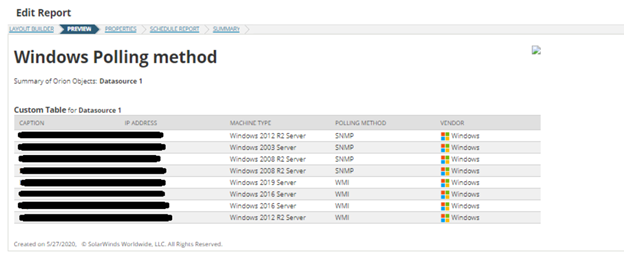
You can also use the below query to double check it on Database Manager.
-All Setting.
-Manage Reports
-Click "CREATE NEW REPORT".
-Select "Custom Table".
-Choose "Basic Selector"
-Replicate the condition on the below Image.
-Add CAPTION, IP ADDRESS, MACHINE TYPE, POLLING METHOD AND VENDOR on Table layout.
-SAVE IT.
Sample Result.
You can also use the below query to double check it on Database Manager.
SELECT IP_Address,Caption,ObjectSubType FROM [dbo].[NodesData]
Where Vendor like '%Windows%'

-- Scripts are not supported under any SolarWinds support program or service.
-- Scripts are provided AS IS without warranty of any kind. SolarWinds further
-- disclaims all warranties including, without limitation, any implied warranties
-- of merchantability or of fitness for a particular purpose. The risk arising
-- out of the use or performance of the scripts and documentation stays with you.
-- In no event shall SolarWinds or anyone else involved in the creation,
-- production, or delivery of the scripts be liable for any damages whatsoever
-- (including, without limitation, damages for loss of business profits, business
-- interruption, loss of business information, or other pecuniary loss) arising