
Applications Systems
How to Monitor on Database File Information
How to monitor on AppInsight for SQL database file information. File Size. Transaction log size. File size is a warning or critical status.
First published date
7/7/2020 3:11 PM
Last published date
7/7/2020 3:48 PM
Overview
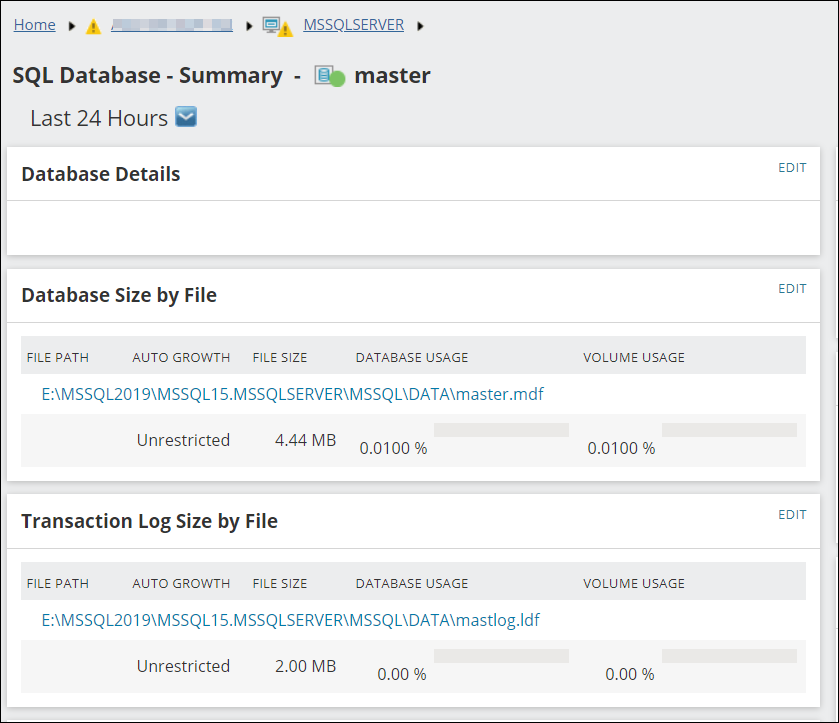
This instructs how a user can alert on Database file size information. This can be collected with AppInsight for SQL. The metrics are collected using the template however the information is not so obvious to alert off the data. This guide will point you in the right direction.
Product section
Server Application Monitor
Resolution
Prerequisite to alerting on Database File information will be to first monitor the SQL server using AppInsight for SQL.
Once the SQL instance is monitored via AppInsight for SQL, you can then set up alerts against the Database Files. This is performed through the Alert Configuration. Choose AppInsight for SQL: Database File.
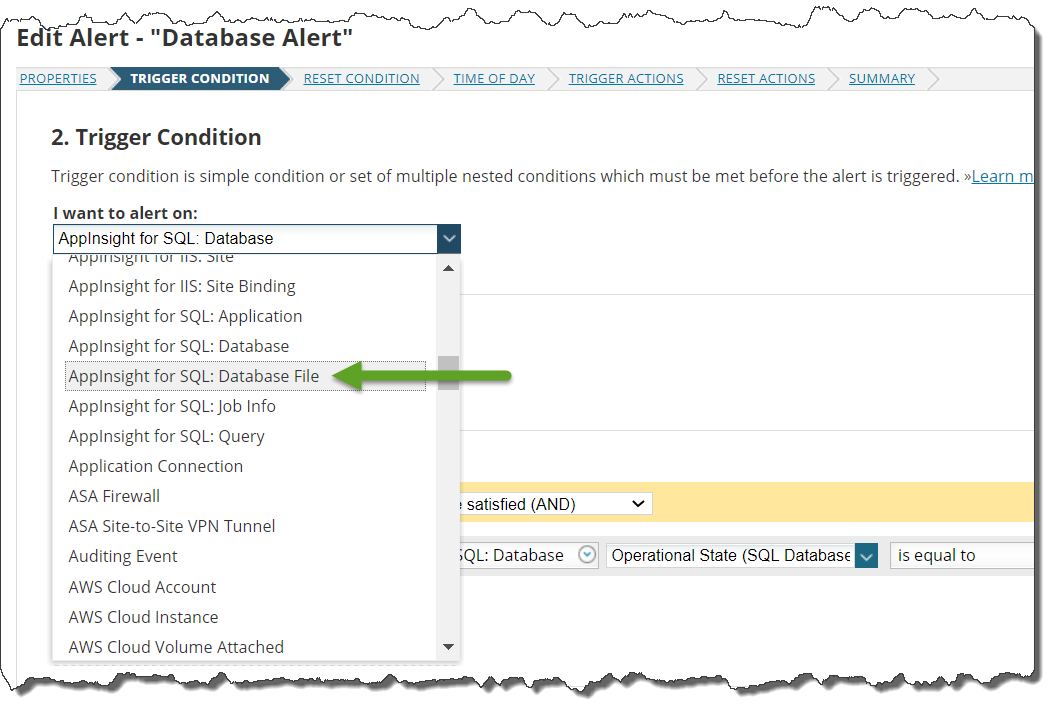
Once this object is chosen, you can then filter on Database File specific objects to set up alerts. Usually Database File = warning /critical is all that is necessary but more advanced statistics can be selected once the correct alert object is selected in the above drop-down.
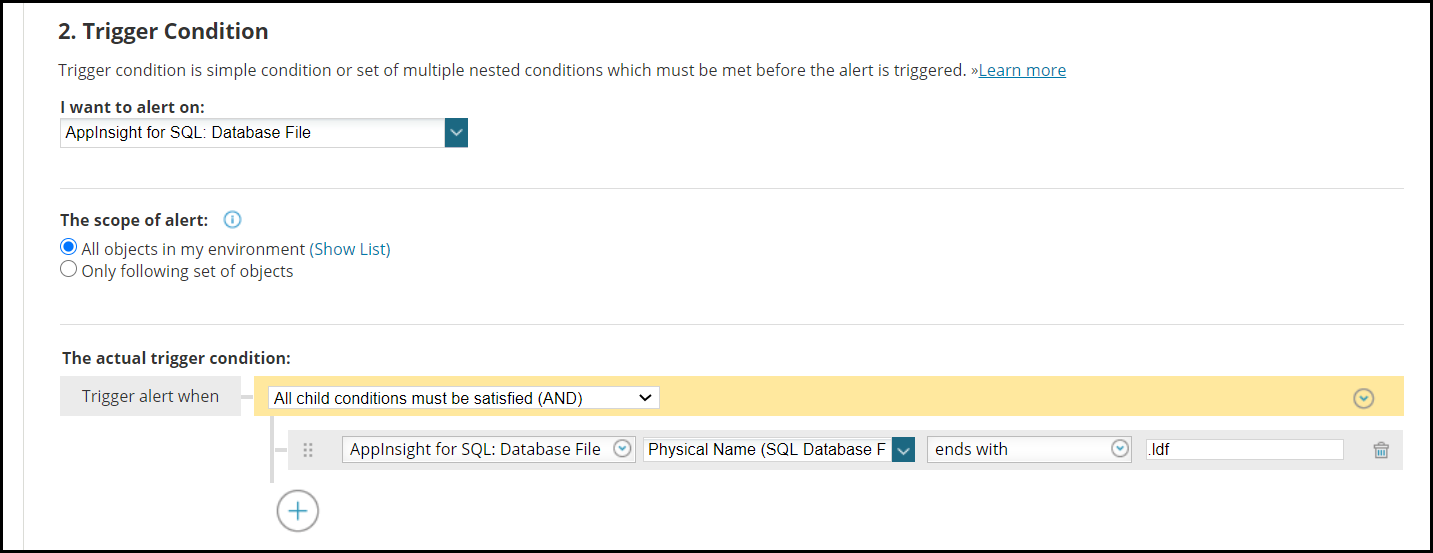
You can, for example, alert on Transaction log size through the following:
AppInsight for SQL: Database File | Physical Name | Ends with | .ldf
Once the SQL instance is monitored via AppInsight for SQL, you can then set up alerts against the Database Files. This is performed through the Alert Configuration. Choose AppInsight for SQL: Database File.
Once this object is chosen, you can then filter on Database File specific objects to set up alerts. Usually Database File = warning /critical is all that is necessary but more advanced statistics can be selected once the correct alert object is selected in the above drop-down.
You can, for example, alert on Transaction log size through the following:
AppInsight for SQL: Database File | Physical Name | Ends with | .ldf