
Network Management
How to Escalate a SolarWinds Support case via the Customer Portal
How to use the Escalate Now button in the SolarWinds Customer Portal to escalate a case.
First published date
2/23/2023 7:39 PM
Last published date
9/25/2023 6:27 AM
Overview
A new process has been implemented that will allow you to escalate any of the open Technical Support, Technical Support SaaS, and Customer Services cases you have open via the Customer Portal.
Product section
Orion Platform
Resolution
Note: The Escalate Now button will be available only after 48 hours after the case was created. If a case is escalated once, the ‘Escalate Now’ button will be unavailable on the Support case details page. The 'Escalate Now' button is currently unavailable for cases opened through Technical Support Chat.

- Log in to the Customer Portal at customerportal.solarwinds.com.
- Navigate to Technical Support > Review my support cases.
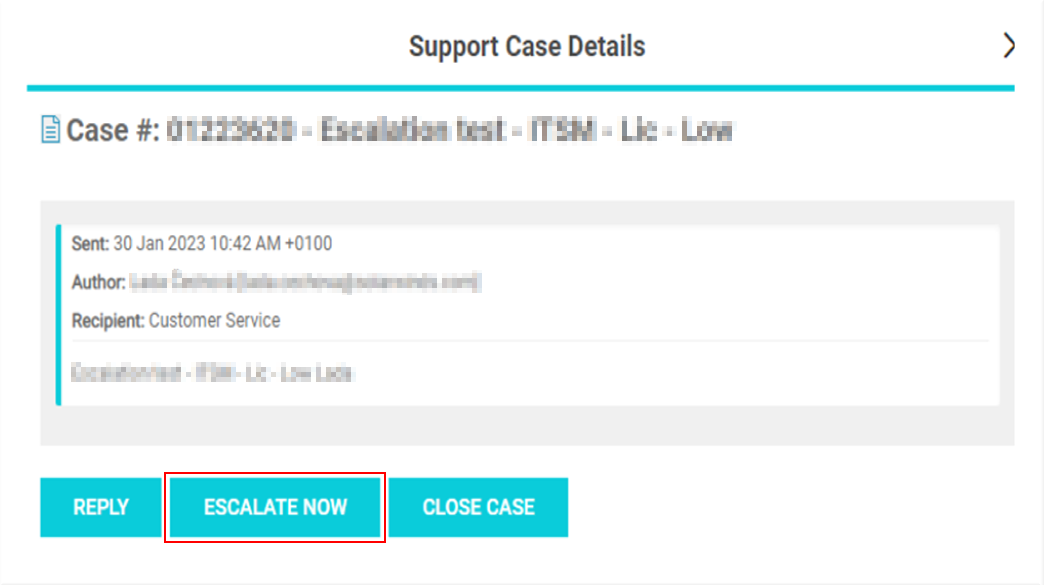
- Select an open case and select the Escalate Now button:
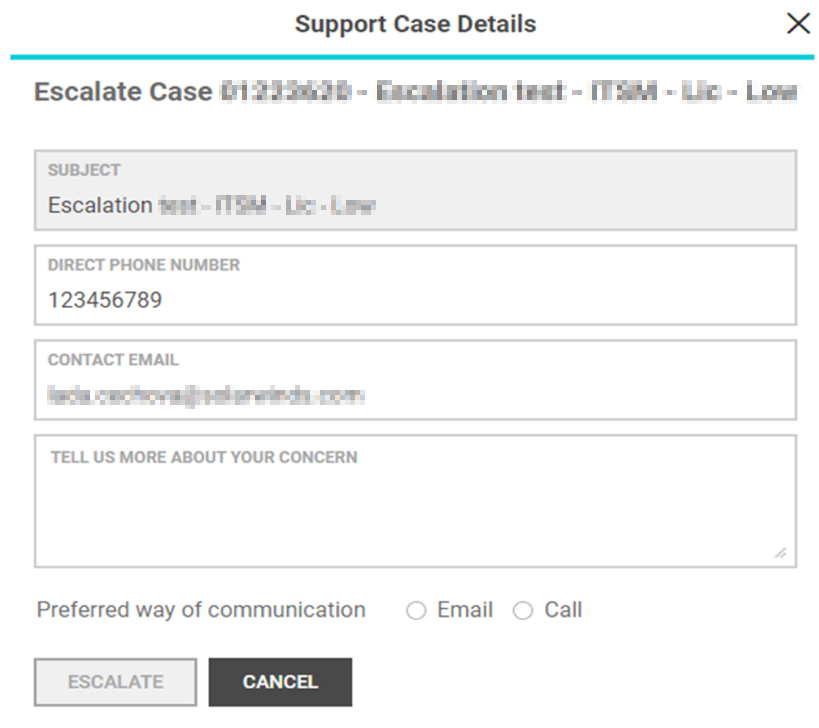
- A page will appear where you can update the fields like direct phone number, contact email, a summary of why they are escalating the case, and their preferred way of communication:
- Click the Escalate button. The following will then be displayed: