
Security Compliance
ARM GrantMa permissions changes and request are failing
Following this article, you will be able to solve the failing permissions changes and requests from ARM GrantMa.
First published date
8/4/2021 10:12 AM
Last published date
4/13/2022 7:35 AM
Overview
Following the steps here you will be able to resolve the issues with GrantMa changes and requests.
The issue and solution described here are related to the permission denied seen from the job description.
The issue and solution described here are related to the permission denied seen from the job description.
Product section
Access Rights Manager
Cause
The cause of the issue can be the lack of privileges for the configured change accounts or unconfigured default change account for the file server or active directory.
The error that you will see in ARM Client > Tasks will be similar to this:
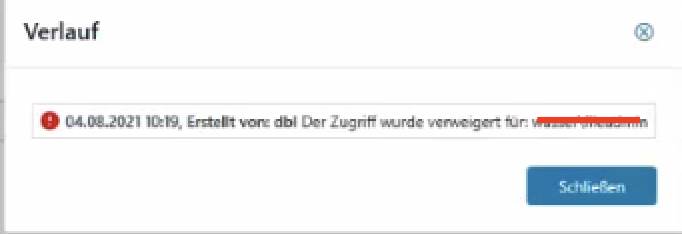
The error in the ARMServer.log related to this action will show the permission denied message.
The error that you will see in ARM Client > Tasks will be similar to this:
The error in the ARMServer.log related to this action will show the permission denied message.
Resolution
To solve this issue, first, we will need to check if all needed default change accounts are defined.
Follow these steps to check this:
Follow these steps to check this:
- In the ARM Configuration open change configuration
and select the File Server option
- Make sure that you have default change credentials configured
- Second, there is a need to configure the default change account for AD-related changes
- In the ARM Configuration, open the scans and select the AD Scan. Click on the more details and make sure that you have set the default change account
- In the ARM Configuration, open the scans and select the AD Scan. Click on the more details and make sure that you have set the default change account
- If the changes are still failing, make sure that the change account has all the needed permissions. Information about these requirements you will find here .
- A best practice for the fileserver change account is to assign 'Full Control' permissions on the NTFS filesystem of the resource. If less or granular permissions are required to be set please make sure that the account has the right to read and traverse the folders and read and change the permissions on the considered locations.