
Tools
Getting an error 'The feature you are trying to use is on a network resource that is unavailable' when installing or uninstalling Dameware Remote Support or Mini Remote Client
This article details the resolution of the issue of installing or uninstalling DRS or DMRC clients.
First published date
12/22/2023 7:31 PM
Last published date
2/20/2025 10:47 PM
Overview
The user may get an issue below with installing or uninstalling Dameware Remote Support (DRS) or Dameware Mini Remote Control.
'The feature you are trying to use is on a network resource that is unavailable'
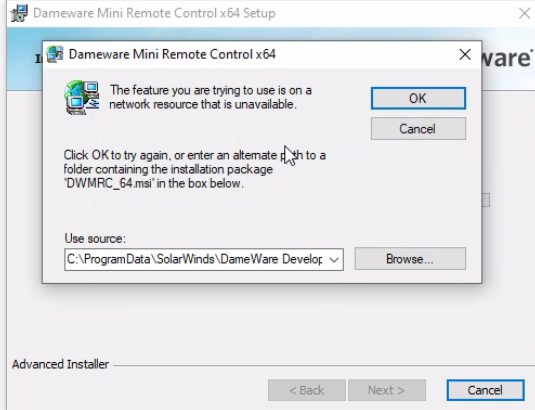
The Dameware application is no longer listed when you find it in the Windows Start menu but is still listed in the Program List in the Control Panel.
'The feature you are trying to use is on a network resource that is unavailable'
The Dameware application is no longer listed when you find it in the Windows Start menu but is still listed in the Program List in the Control Panel.
Product section
Dameware Remote Support & Mini Remote Control
Cause
- The Dameware installation folder was already deleted
- Manually uninstalled the Dameware application by removing associated folders
Resolution
Remove the Dameware installation entries in the Windows registry to clear Dameware from the Control Panel.
1. Open the Windows Registry (run regedit.exe).
2. Navigate to KEY_CLASSES_ROOT\Installer\Products.
3. Right-click the Product folder and then select Find the search Dameware.
4. Once found the Dameware installation folder like in the example below, delete the folder.
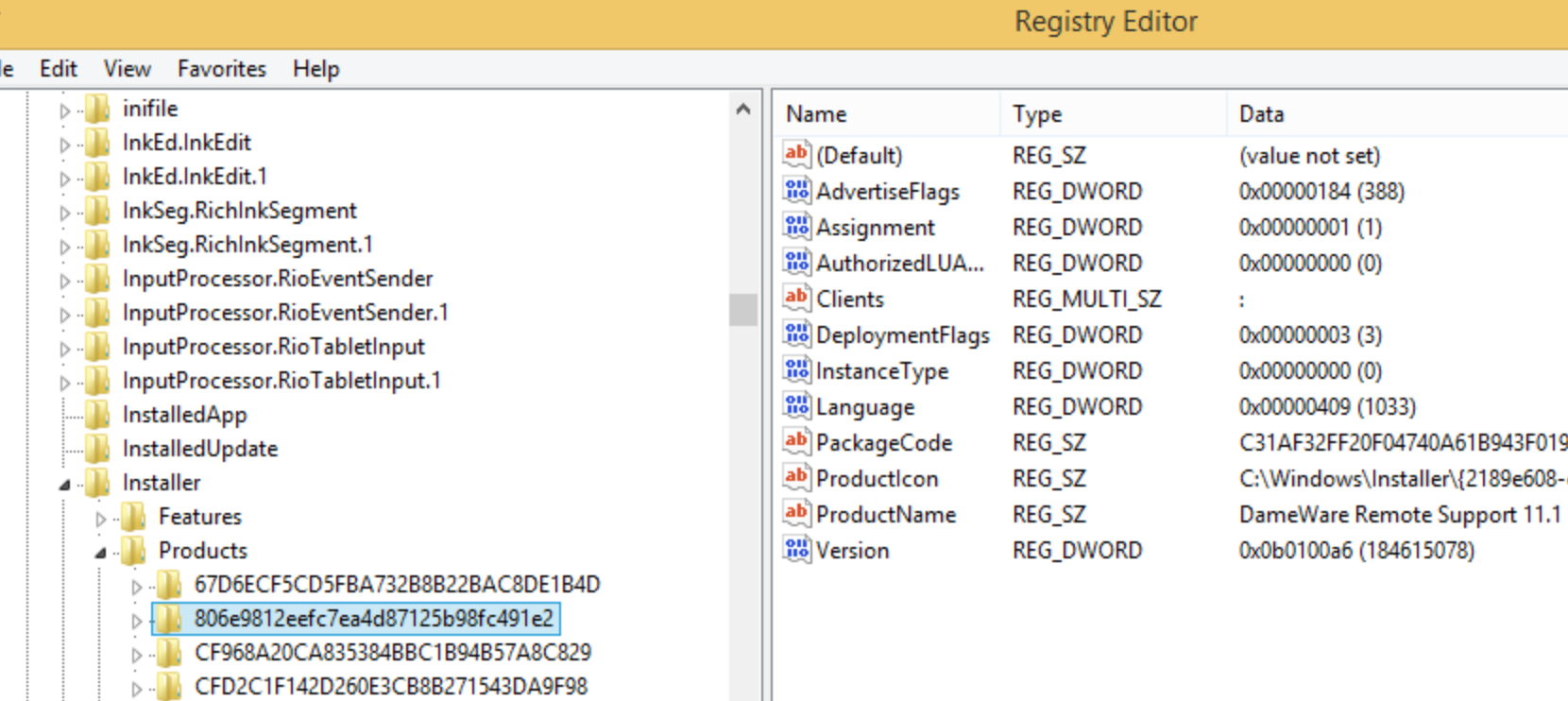
5. The Dameware application should no longer listed in the Control Panel.
6. Run the installation.
1. Open the Windows Registry (run regedit.exe).
2. Navigate to KEY_CLASSES_ROOT\Installer\Products.
3. Right-click the Product folder and then select Find the search Dameware.
4. Once found the Dameware installation folder like in the example below, delete the folder.
5. The Dameware application should no longer listed in the Control Panel.
6. Run the installation.