
Security Compliance
Exchange unexpected powershell read error in ARM
This article explains how to mitigate an issue with PowerShell read error in the resources view in the ARM Rich client
First published date
6/9/2020 6:52 PM
Last published date
11/5/2025 10:53 PM
Overview
Sometimes unexpected Powershell read error can appear in the resources view in the ARM Rich client.
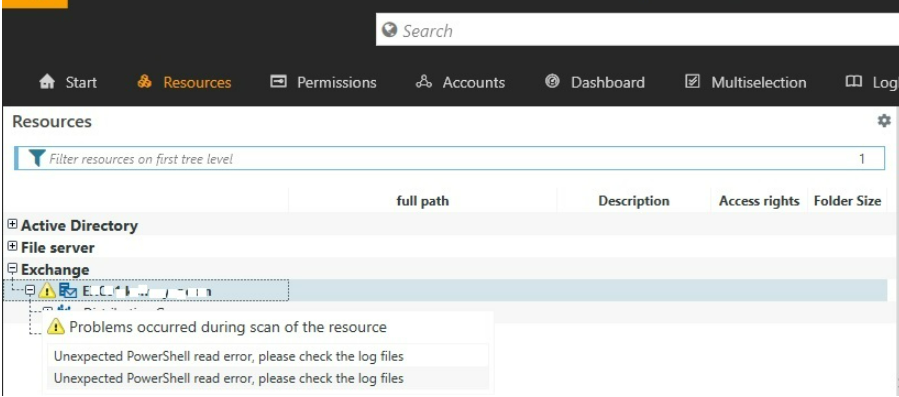
In the related logs you can see the following:
In the related logs you can see the following:
- Couldn't find the public folder mailbox.
CategoryInfo: NotSpecified: (:) [Get-PublicFolder], ObjectNotFoundException - The operation couldn't be performed because '' matches multiple entries.
CategoryInfo: InvalidData: (:) [Get-DistributionGroupMember], ManagementObjectNotFoundException
Product section
Access Rights Manager
Cause
This is related to the mailbox attributes.
Resolution
Resolution 1
Please either restore or recreate the Public Folder Mailbox. If you don't have any Public Folder at all, just uncheck it from the Exchange Scan options in ARM Config---Scans.
Resolution 2
Some mailboxes may have the same Alias or display name. Please change them to be unique.