
Network Management
Error when installing NPM
Information Service v3 starts every time an upgrade/installation is started and the following error occurs: "The following solarwinds applications must be closed before installation can continue: Solarwinds Information Service V3"
First published date
10/22/2018 9:00 PM
Last published date
2/26/2022 8:19 AM
Overview
When you install Network Performance Monitor on your computer, the following error displays:
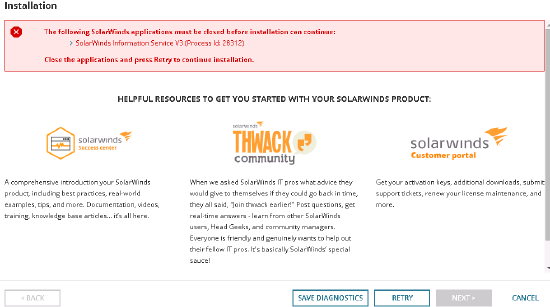
The following solarwinds applications must be closed before installation can continue:

Solarwinds Information Service V3
Product section
Network Performance Monitor
Cause
All applications must be closed before you install NPM.
Resolution
- Cancel the installer
- Go to c:\programdata\solarwinds\installers.
- Right click on NPMInstaller.msi and choose install (if there are two versions of this file, run the newest version).
- It will open the Configuration Wizard, cancel it first
- Run the NPM 12.1 installer again - this will install hotfixes and updates for other products that are installed
- Complete the configuration wizard