
Network Management
Error when clicking a link from an alert: Restricted page - You do not have permission to access this view
Users get the error message "Restricted page - You do not have permission to access this view" when clicking a link from an alert. Network Performance Monitor (NPM).
First published date
10/22/2018 8:58 PM
Last published date
2/25/2025 3:00 AM
Overview
When clicking on a link in an Alert email, the following error message is displayed on the Web Console:
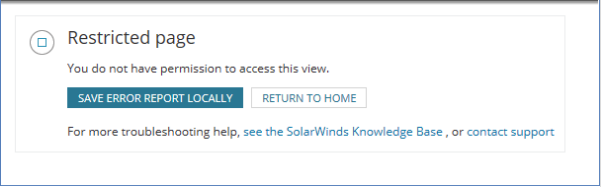
Restricted page

You do not have permission to access this view.
Product section
Network Performance Monitor
Cause
1. This occurs when user accounts are not set up to look at the Node Details View.
2. There is a view limitation assigned to the 'Node Details - Summary' view.
2. There is a view limitation assigned to the 'Node Details - Summary' view.
Resolution
Approach 1: Check the account(s) and verify that the Node Details View is not set to 'None':
- Go to Settings > All Settings > Manage Accounts.
- Locate and edit the account.
- Expand Orion General Settings.
- Scroll Down, Under Default Summary View > Network Interface Settings > Change Interface Details View from None to By Device type.
- Go to Settings > All Settings > Manage Dashboard/Views.
- Search for 'Node Details - Summary'
- Select it and click Edit
- Scroll Down, Limitation remove any assigned Limitation.