
Tools
Error retrieving remote configuration file when installing agent of Dameware MRC
An error is received when pushing an agent to a Dameware remote machine. This error normally occurs with Dameware centralized mode, one-, or two-server deployments.
First published date
5/16/2019 2:22 PM
Last published date
3/13/2025 5:34 PM
Overview
This article details a resolution to the following error message received when pushing an agent to the remote machine. This error normally occurs with Dameware centralized mode, one-server, or two-server deployments.
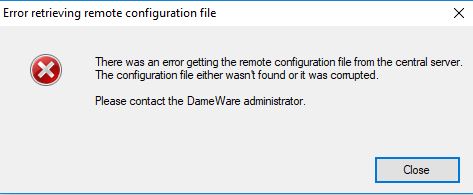
There was an error getting the remote configuration file from the central server. The configuration file either wasn't found or it was corrupted.
Product section
Dameware Remote Support & Mini Remote Control
Cause
- One of the Dameware server components (the Central server or Internet Proxy) has an issue
- Communication failure between two-server deployment and most of the time it is a firewall issue
- Corrupted Dameware database Dameware.SDF
Resolution
- Confirm the Dameware server components, such as Central server and/or Internet Proxy, status is active.
- Turn each component off and then back on.
- Restart the Dameware server service and reboot the server.
- Turn off all Dameware server and rerun the configuration wizard to reset the configuration. (Note: This will reset Dameware to default settings, such as users, proxy configurations, and custom settings.)
- Reinstall the Dameware server.
- If you are getting communication failures between servers, check your network firewall for blocking