
Security Compliance
Error displays after synchronizing the WSUS server
This article addresses a synchronization error that displays in the Patch Manager Administrator Console after you synchronize the WSUS server. Error: UssCommunicationError
First published date
10/26/2018 9:40 PM
Last published date
10/26/2018 9:40 PM
Overview
When you open the Patch Manager Administrator Console and synchronize the WSUS server, the following error displays in Synchronization Details:
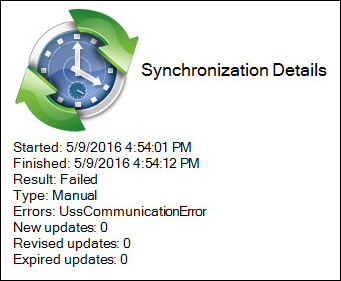
UssCommunicationError
Product section
Patch Manager
Cause
Communication issue with the downstream server reaching the upstream server during synchronization. This issue may be caused by a networking issue or improperly configured settings in the downstream WSUS server.
Resolution
Verify the WSUS settings:
- Review Set up a hierarchy of WSUS servers. (© 2018 Microsoft Corporation, available at https://technet.microsoft.com. obtained on November 26, 2018)
- Verify that the hostname information is correct.
- Verify that port 80 (443 for SSL) is the default port for servers running Windows Server 2008 R2 and earlier. Port 8530 (8531 for SSL) is the default for WSUS on Server 2012 R2 and later.
- Verify the network connection to the upstream server. Ensure that the ports are open and the hostname can be resolved by DNS.