
Tools
Error: The operation cannot be performed, an internal error has occurred when uploading files in Serv-U File sharing
The article describes an issue where users cannot upload files via file sharing and how to resolve it.
First published date
8/20/2020 4:03 PM
Last published date
8/20/2020 4:03 PM
Overview
In some situations, the user may get the following error below when uploading a file via Serv-U File sharing.
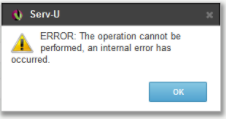
Checking the Serv-U log would show something like below.
"Error: The operation cannot be performed, an internal error has occurred."
Checking the Serv-U log would show something like below.
(000087) SQLite error encountered during command HTTP_CREATE_FILE_SHARE; error string: "attempt to write a readonly database"
Product section
Serv-U Managed File Transfer & Serv-U FTP Server
Cause
Serv-U service account does not have permission to write in the File Sharing database.
Resolution
Make sure that Serv-U service account is also a member of the local administrator group especially if the account is a domain account.
1. Click the Windows start menu, run lusrmgr.msc.
2. Go to the Groups, select Administrators.
3. Add Serv-U service account to the Administrators group.
4. Restart Serv-U service.
1. Click the Windows start menu, run lusrmgr.msc.
2. Go to the Groups, select Administrators.
3. Add Serv-U service account to the Administrators group.
4. Restart Serv-U service.