
Tools
"Error: Operation was not successful, a parameter was invalid" when logging in via web client after applying Serv-U 15.4.2 HF1 or HF2
This article provides information how to resolve an issue where users get "Error: Operation was not successful, a parameter was invalid" error message after applying Serv-U 15.4.2 HF1 or HF2.
First published date
7/5/2024 9:58 AM
Last published date
2/19/2025 3:06 AM
Overview
Serv-U 15.4.2 HF1 or HF2 contains files only compatible with a Serv-U 15.4.2 (15.4.2.126) version.
In a situation where a hotfix for Serv-U 15.4.2 was applied on 15.4.1 or any different versions, the user will get the error below when logging in via Web client:
ERROR: Operation was not successful, a parameter was invalid
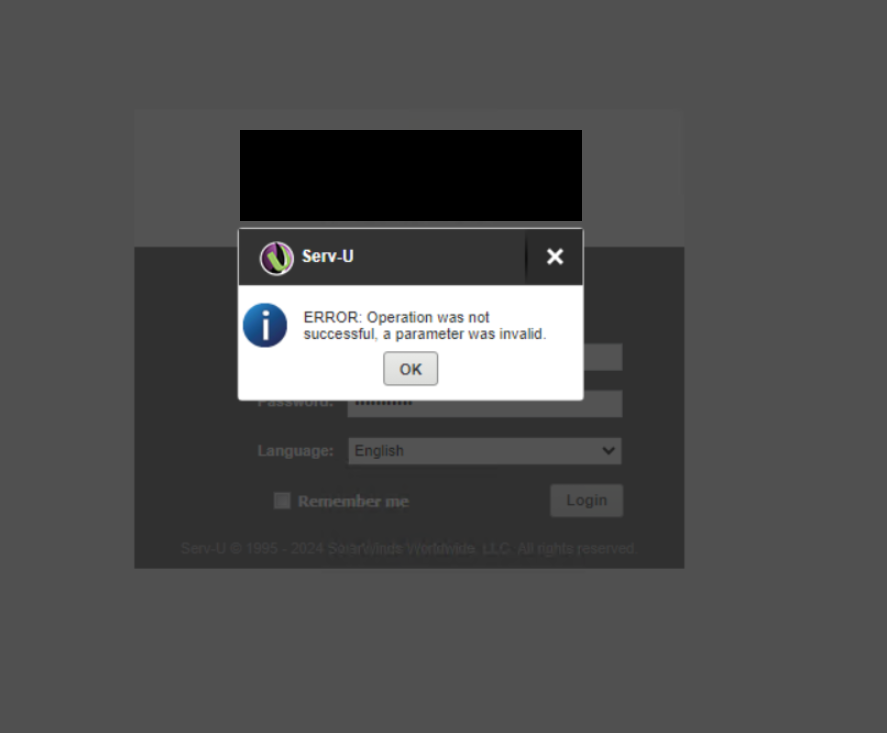
Important! Hotfix (HF) contains a small subset of files compared to installation of the base install. HF version must match the base version. In this example, Serv-U 15.4.2 HF1 or HF2 should be only applied to Serv-U 15.4.2 base version.
To confirm the Serv-U version, use one of the following options:
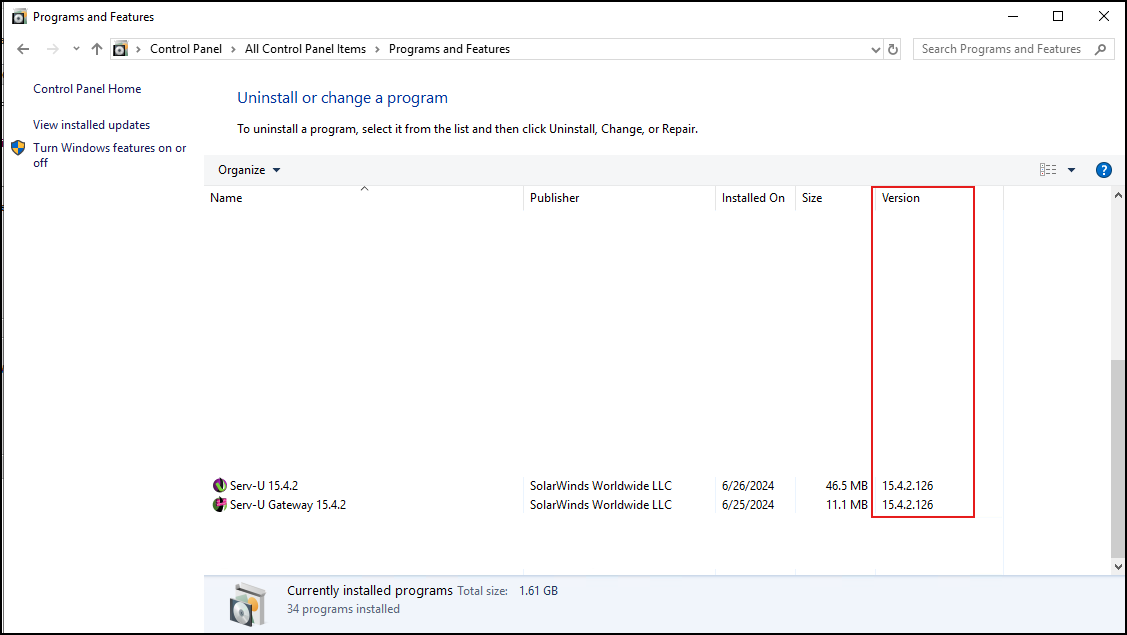
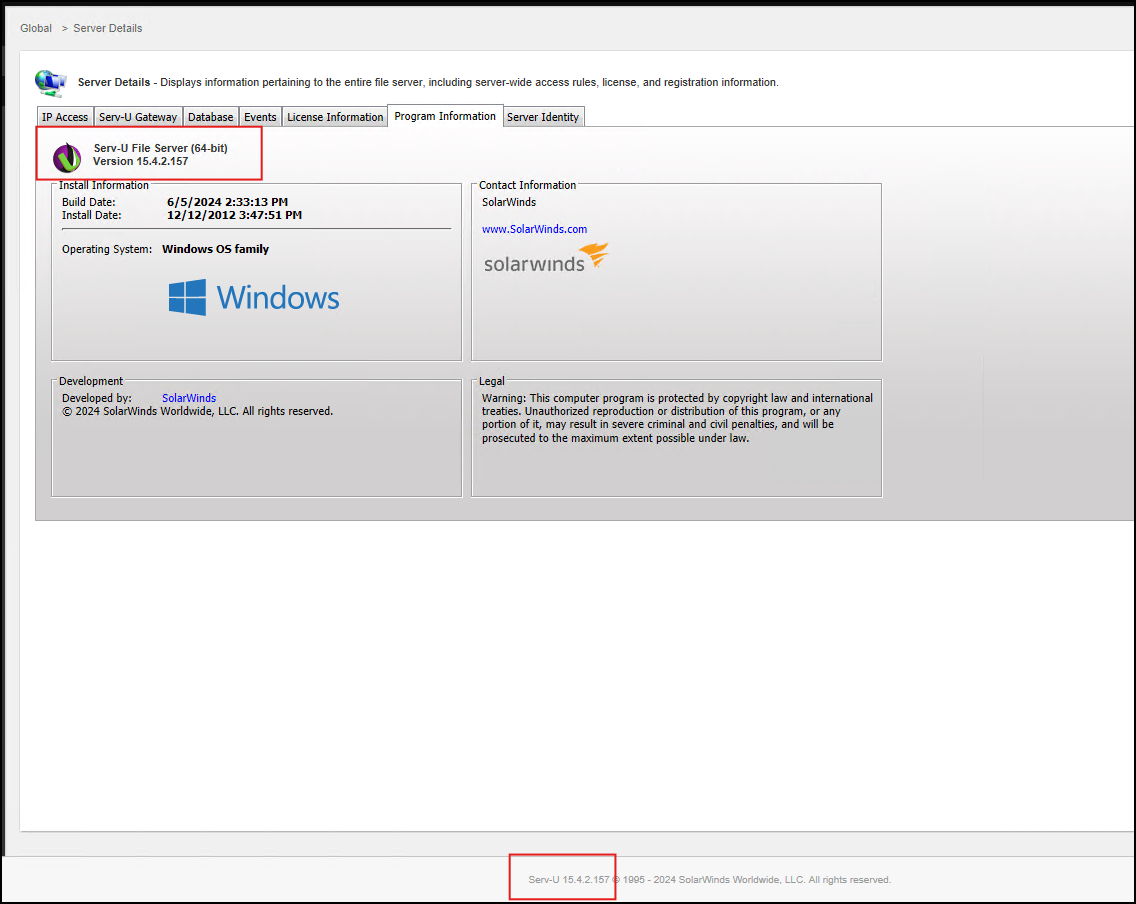
Before applying the hotfix for Serv-U 15.4.2 , ensure the build version is 15.4.2.126.
In a situation where a hotfix for Serv-U 15.4.2 was applied on 15.4.1 or any different versions, the user will get the error below when logging in via Web client:
ERROR: Operation was not successful, a parameter was invalid
Important! Hotfix (HF) contains a small subset of files compared to installation of the base install. HF version must match the base version. In this example, Serv-U 15.4.2 HF1 or HF2 should be only applied to Serv-U 15.4.2 base version.
To confirm the Serv-U version, use one of the following options:
- From Windows menu, navigate to Control Panel > Programs and Features.
- From the Serv-U console, navigate to Global > Server Details > Program Information tab
- From the Serv-U console, review the build number at the bottom portion of the page
Before applying the hotfix for Serv-U 15.4.2 , ensure the build version is 15.4.2.126.
- 15.4.2.126 - Base version
- 15.4.2.147 - with Hotfix 1
- 15.4.2.157 - with Hotfix 2
Product section
Serv-U Managed File Transfer & Serv-U FTP Server
Cause
Serv-U 15.4.2 HF1 or HF2 was applied on a different Serv-U version.
Resolution
Upgrade Serv-U to the latest version
Upgrade Serv-U to the latest version and then apply the Serv-U 15.4.2 Hotfix 2 Release Notes
Important Note: If upgrading from 15.3.1 and below, please read the changes on Serv-U 15.3.2 release notes and later versions.