
Network Management
Error HTTP 500.19 when accessing the web console
This article describes how to fix Error HTTP 500.19 when trying to open the SolarWinds web console. The requested page cannot be accessed because the related configuration data for the page is invalid. Cannot read configuration file due to insufficient permissions
First published date
10/10/2019 1:17 PM
Last published date
9/24/2020 2:14 PM
Overview
Not able to access the web console due to error HTTP 500.19.
The requested page cannot be accessed because the related configuration data for the page is invalid.
Config Error
Cannot read configuration file due to insufficient permissions
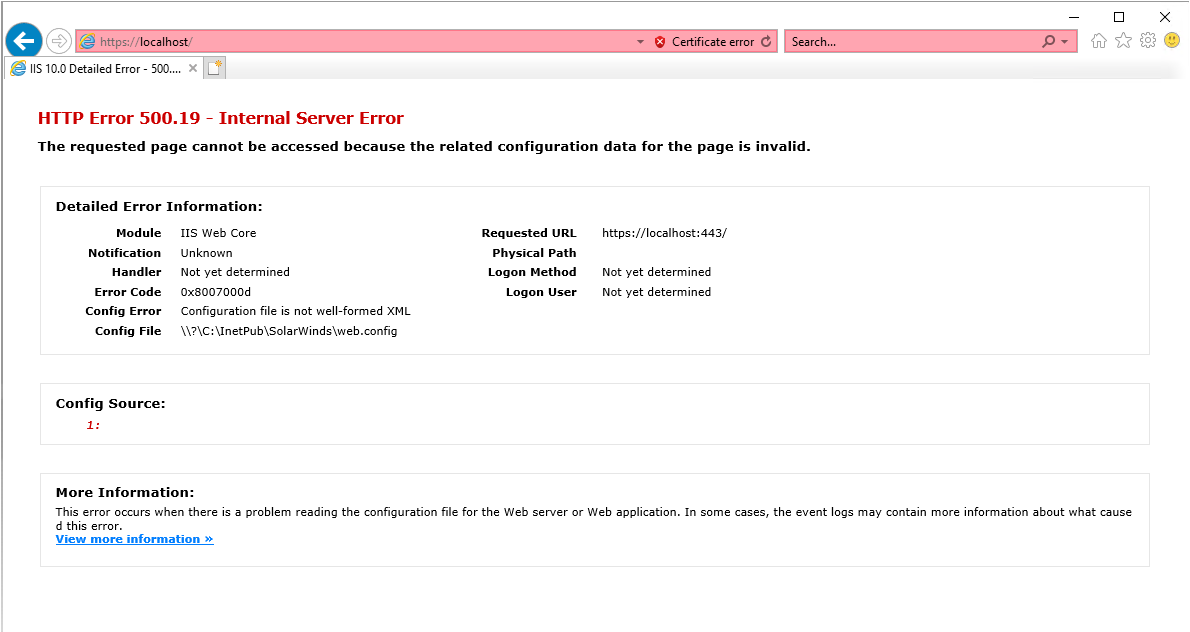
The requested page cannot be accessed because the related configuration data for the page is invalid.
Config Error
Cannot read configuration file due to insufficient permissions
Product section
Orion Platform
Cause
This problem occurs because the file Web.config file contains a malformed XML element.
Resolution
- Go to the SolarWinds website location to find Web.config file. Usually website is installed on C:\inetpub\SolarWinds.
- Locate SolarWinds website backup folder.
- Replace the web.config file with the web.config file you will find in the SolarWinds website backup folder. (User might have another way of backup this file).
- SolarWinds backup folder is created when Configuration Wizard is ran for Website.
- Reset IIS and try to access the web console.
- Rebuild the Orion Website.
- If the web.config file is empty. Fill up the web.config file with contents from a Solarwinds Orion web.config with the same version. Restart the IIS service.
See also
Opening the Orion Web Console after an upgrade returns the error Cannot read configuration file due to insufficient permissions