
Tools
Email address not being populated automatically when doing File Sharing via Windows Authentication in Serv-U
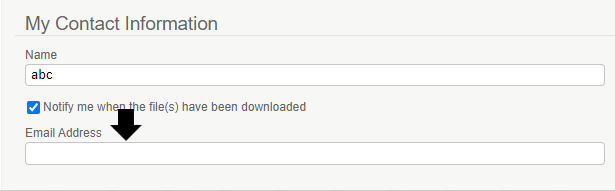
This article discussed a situation where the email address is not populating in the File Sharing.
First published date
7/7/2021 5:57 PM
Last published date
7/7/2021 5:57 PM
Overview
When a user logs in to the Serv-U via Windows Authentication, then uses File Sharing, normally the email address in the My Contact Information should automatically populate. In some cases, it does not populate properly and if you check the AD user profile, the email address is set correctly.
Product section
Serv-U Managed File Transfer & Serv-U FTP Server
Cause
Not known; it was observed when the server domain membership is different from the user AD user profile (ex. Server is a member of domain.local while AD user domain is test.domain.local
Resolution
- Make sure that the server Domain membership is the same as the AD user profile
- Alternatively, use LDAP authentication if domain membership cannot be changed.