
Applications Systems
Duplicate application monitors assigned to a node in SAM
This article provides information on duplicate SAM templates that may have been assigned to the same node and how to remove them.
First published date
10/16/2018 9:19 PM
Last published date
5/19/2022 11:54 PM
Overview
You may notice an application monitor assigned to a node multiple times and show duplicates in the web console.
'Applications' widget on a Node Details page show three duplicates of the same application monitor
Product section
Server Application Monitor
Cause
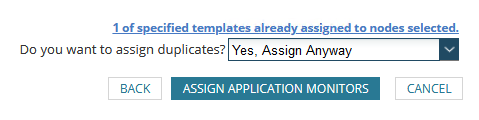
When either assigning the application template or importing results in discovery, the option was set to allow duplicates.
Resolution
Remove the duplicates by deleting it in the Manage Application Monitors page
- On your Orion web console, navigate to Settings > All Settings > SAM Settings > Manage Application Monitors
- Group the list by Application Monitor Template, then check the duplicates
- Click Delete to remove the duplicates
Prevent this issue from happening again by making sure that 'No, Skip Duplicates' are selected when assigning application monitors or importing it thru application discovery.