
Network Management
Disappeared APs on WLC are not removed in the web console immediately
This article discusses the behavior in NPM where Access Points(APs) removed from WLC are not removed in the web console immediately.
First published date
8/9/2019 4:04 PM
Last published date
8/9/2019 4:09 PM
Overview
When monitoring access points on WLCs, you may come across an issue where APs that are removed in WLC will not reflect immediately in the web console.
Here's an example:
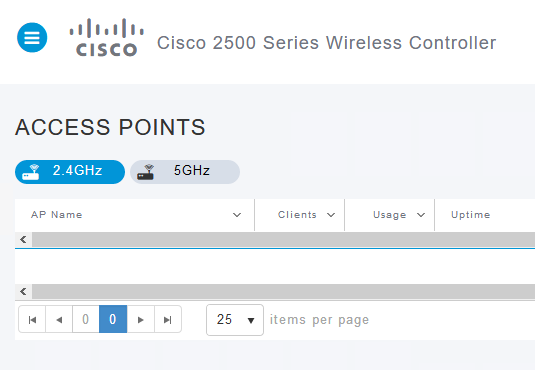
A Cisco WLC shows no access point in the dashboard after removal
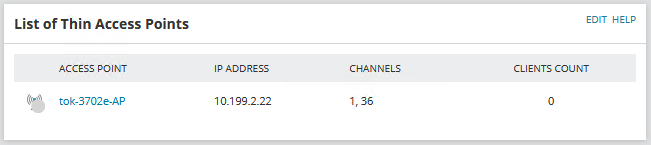
List of Thin Access Points resource still shows the access point as Unknown
Here's an example:
A Cisco WLC shows no access point in the dashboard after removal
List of Thin Access Points resource still shows the access point as Unknown
Product section
Network Performance Monitor
Cause
RemoveDisappearedAPs in Advanced Configuration settings are disabled
Resolution
Solution 1 - Wait
NPM will automatically remove disappeared APs in the next database maintenance if they are more than 7 days old.Solution 2 - Enable RemoveDisappearedAPs
- Go to Advanced Configuration settings
- Search for 'RemoveDisappearedAPs'
- Tick the checkbox to enable it
- Click 'Save' to commit the changes