
Tools
Dameware Remote Everywhere (DRE) technician does not receive the email of the password reset link
This article describes how to resolve an issue where the email resulting from clicking "Forgot Password" button by a technician
First published date
5/25/2022 1:36 AM
Last published date
1/31/2023 10:46 PM
Overview
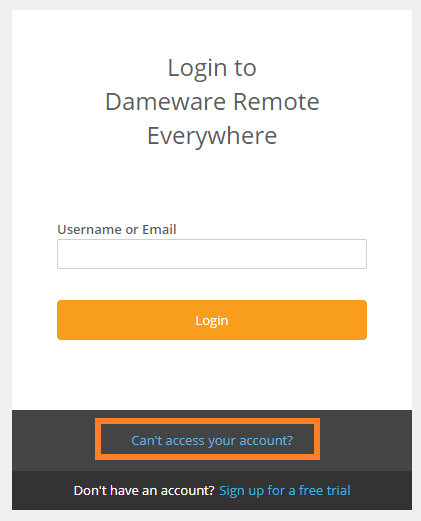
When a DRE technician somehow forgets the password of their account, there is an option to reset it. In the admin area website, there is an option called "Can't access your account?". When you click it, it will ask for the DRE account email address, reset it and it will send an email that contains the password reset link.
Admin Area Login page.
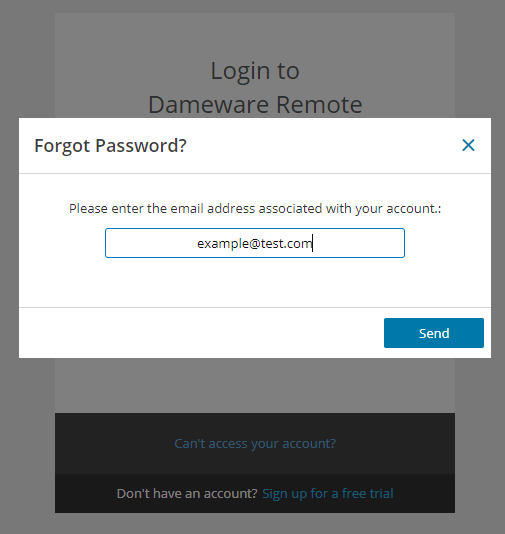
Enter the DRE account email address, then click Send.
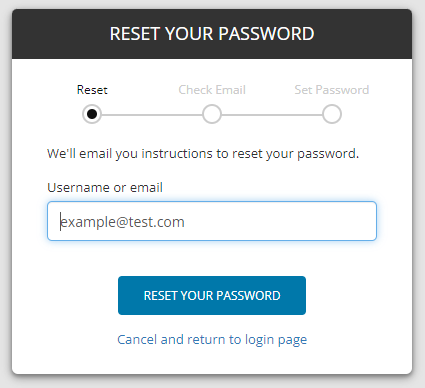
Click Reset your Password then check your email.
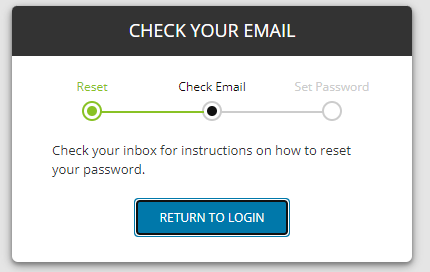
In some cases, the resulting email is not received by the intended recipient (technician) email not does it show in the spam/junk folder especially if MS Office 365 email address that has Microsoft Defender security.
Admin Area Login page.
Enter the DRE account email address, then click Send.
Click Reset your Password then check your email.
In some cases, the resulting email is not received by the intended recipient (technician) email not does it show in the spam/junk folder especially if MS Office 365 email address that has Microsoft Defender security.
Product section
Dameware Remote Everywhere
Cause
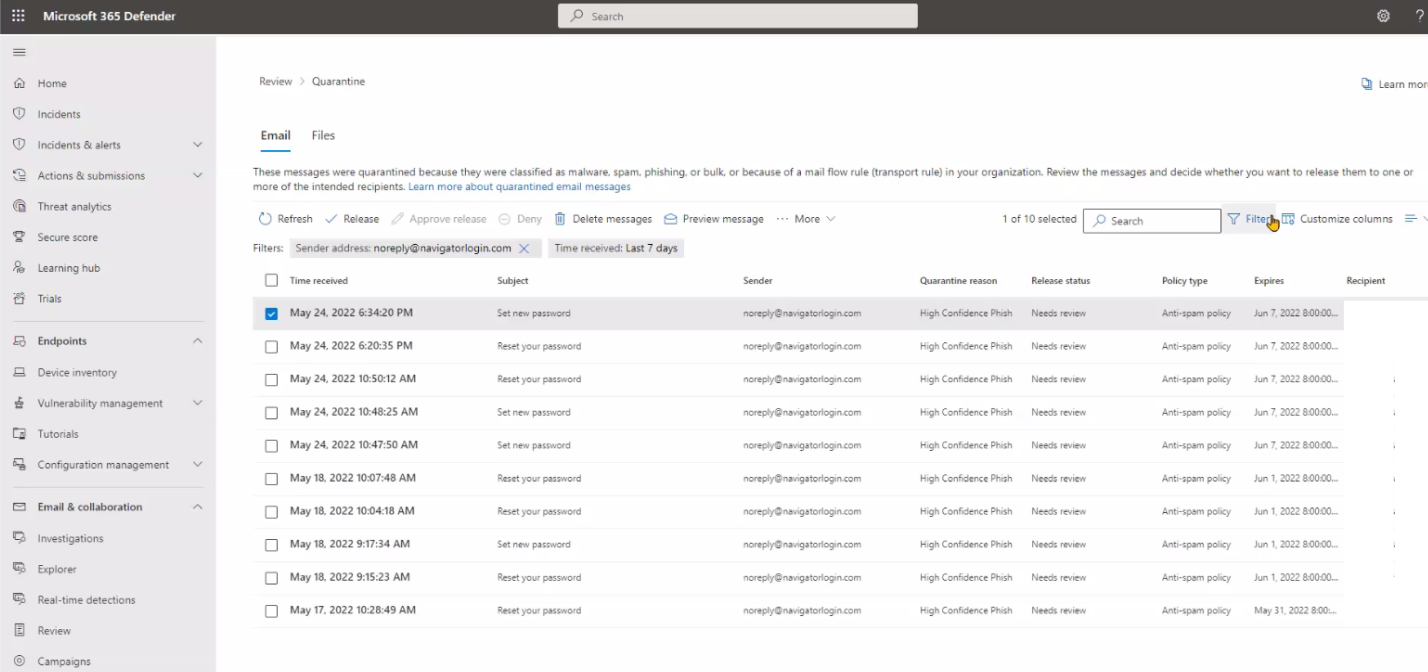
DRE SSO email addres "noreply@navigatorlogin.com" was blocked or quarantined by the email server security (ex. Office 365 Microsoft Defender).
Resolution
Advise the customer to:
Here is a sample screenshot of the Microsoft Defender for Office 365.
- Try the forgot password option in the admin area, again.
- Check the spam/junk folder of the email.
- Coordinate with the email administrator to check their email server security for emails that came from "noreply@navigatorlogin.com".
- Check if it's blocked or quarantined.
- Whitelist the email address so it will not be blocked or quarantined again.
Here is a sample screenshot of the Microsoft Defender for Office 365.