
Applications Systems
DPA shows Licenses Expired in License Manager incorrectly
DPA shows Licenses Expired in License Manager incorrectly. Customer Portal License Store shows correct Licenses with correct Expirations. This is due to DPA Licenses are out of synch.
First published date
6/10/2021 6:39 PM
Last published date
3/7/2025 4:31 PM
Overview
DPA shows Licenses Expired in License Manager incorrectly.
Customer Portal License Store shows correct Licenses with correct Expirations.
This is due to DPA Licenses are out of synch. This is most likely caused by the customer's
decision to not allow the DPA server to communicate with the Customer Portal License Store across the Network.
-- Customer Portal License Store - needs to be correct FIRST. If it is not, contact Customer Service.
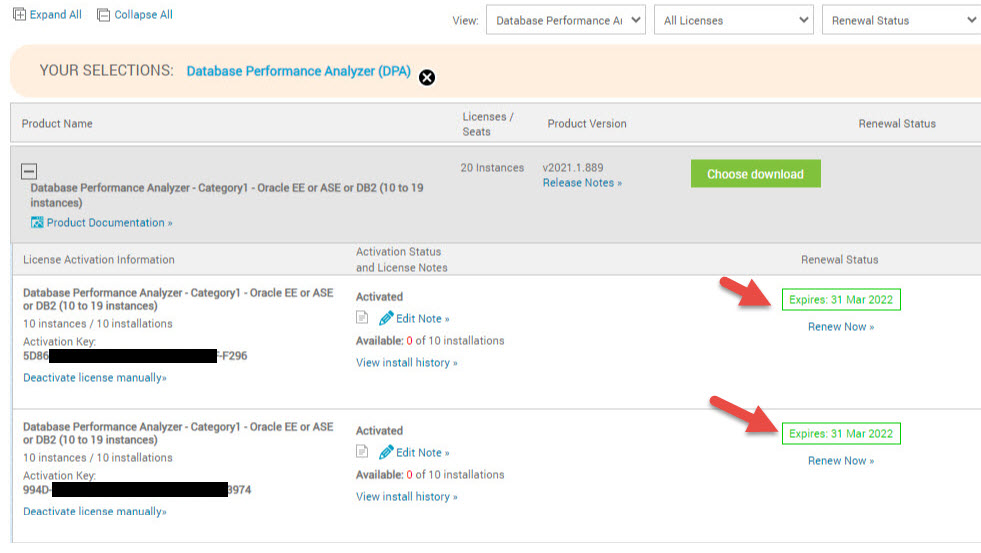
-- Example of Incorrect DPA License Manager compared with above Customer Portal. Notice the Expiration Dates:
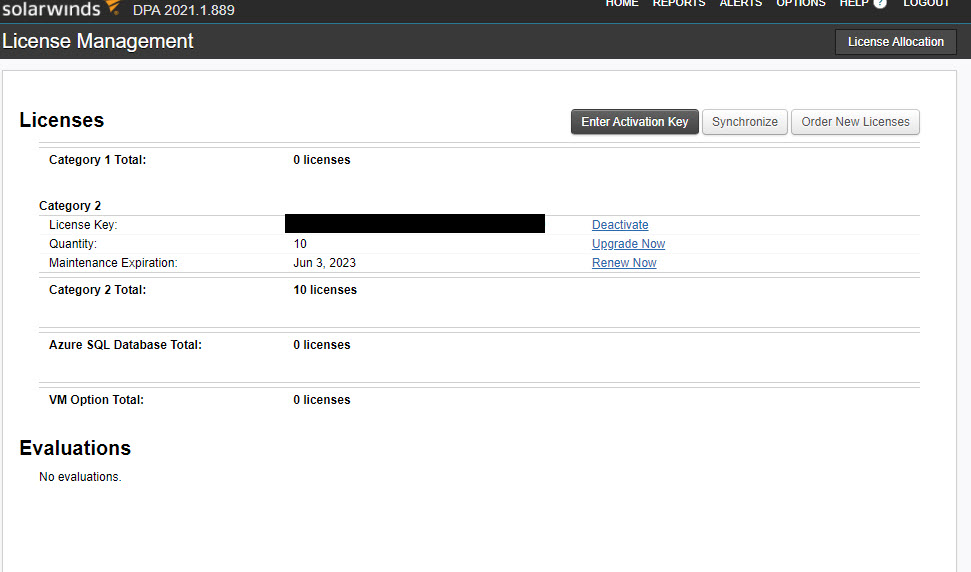
Customer Portal License Store shows correct Licenses with correct Expirations.
This is due to DPA Licenses are out of synch. This is most likely caused by the customer's
decision to not allow the DPA server to communicate with the Customer Portal License Store across the Network.
-- Customer Portal License Store - needs to be correct FIRST. If it is not, contact Customer Service.
-- Example of Incorrect DPA License Manager compared with above Customer Portal. Notice the Expiration Dates:
Product section
Database Performance Analyzer
Cause
This is due to DPA Licenses are out of synch. This is most likely caused by the customer's
decision to not allow the DPA server to communicate with the Customer Portal License Store across the Network.
decision to not allow the DPA server to communicate with the Customer Portal License Store across the Network.
Resolution
Customer will need to DeActivate their DPA licenses and ReActivate them in order for them to be in synch.
This may require the Off-Line method if the On-Line method does not work.
If the Off-Line method fails, then Customer Service will need to be engaged for a License Reset.
See the following KBs regarding how to DeActivate and Activate DPA Licenses:
Deactivate your DPA licenses
Activate DPA licenses
This may require the Off-Line method if the On-Line method does not work.
If the Off-Line method fails, then Customer Service will need to be engaged for a License Reset.
See the following KBs regarding how to DeActivate and Activate DPA Licenses:
Deactivate your DPA licenses
Activate DPA licenses