
Security Compliance
Create a report displaying third party updates installed by WSUS
Create a report that displays third-party updates installed by WSUS and includes statuses such as install success, failure, approved, and not approved.
First published date
10/23/2018 2:10 PM
Last published date
10/23/2018 2:10 PM
Overview
Create a report that displays third-party updates installed by WSUS and includes statuses such as install success, failure, approved, and not approved.
Product section
Patch Manager
Resolution
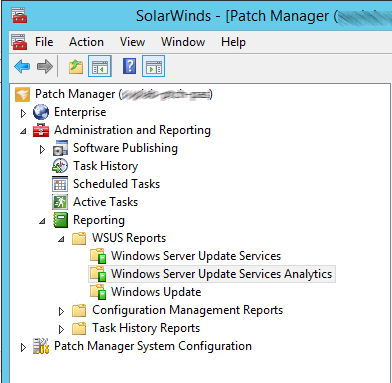
1. Go to Administration and Reporting > Reporting > WSUS Reports > Windows Server Update Services Analytics.
2. Select the report titled "Computer Update Status - Locally Published Updates."
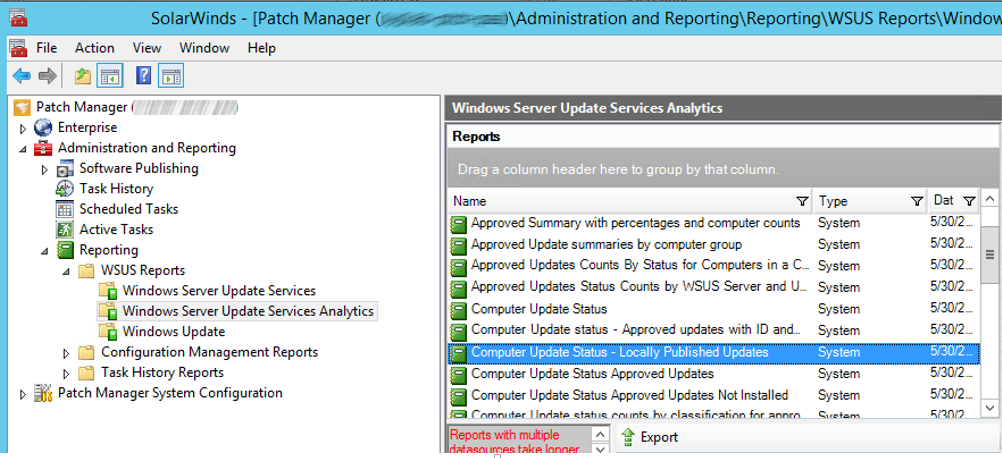
This report omits any Microsoft Update and will contain Third Party Packages.
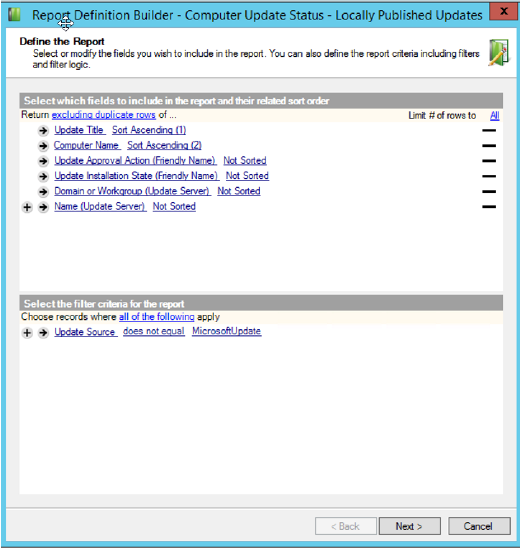
2. Select the report titled "Computer Update Status - Locally Published Updates."
This report omits any Microsoft Update and will contain Third Party Packages.