
Applications Systems
Create a Transaction Availability Report for WPM
How to create a report for Transaction Availability on WPM module
First published date
5/14/2020 7:26 PM
Last published date
5/14/2020 7:26 PM
Overview
This article provides instructions on how to create a web-based report for the Availability of all Transactions monitored in WPM.
Product section
Web Performance Monitor
Cause
na
Resolution
1. Go to Settings > All Settings > Manage Reports and click Create New Report
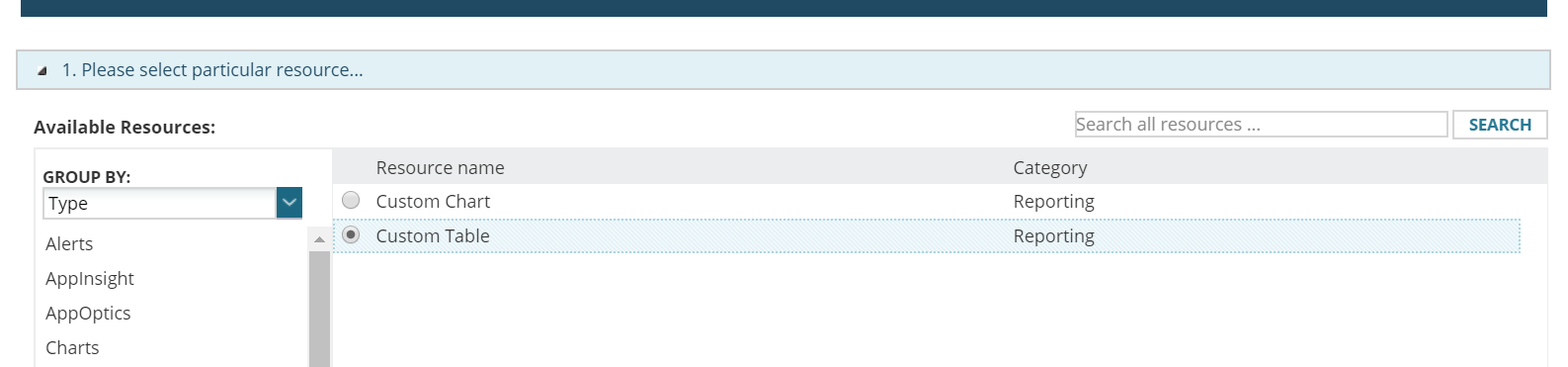
2. Select Custom Table
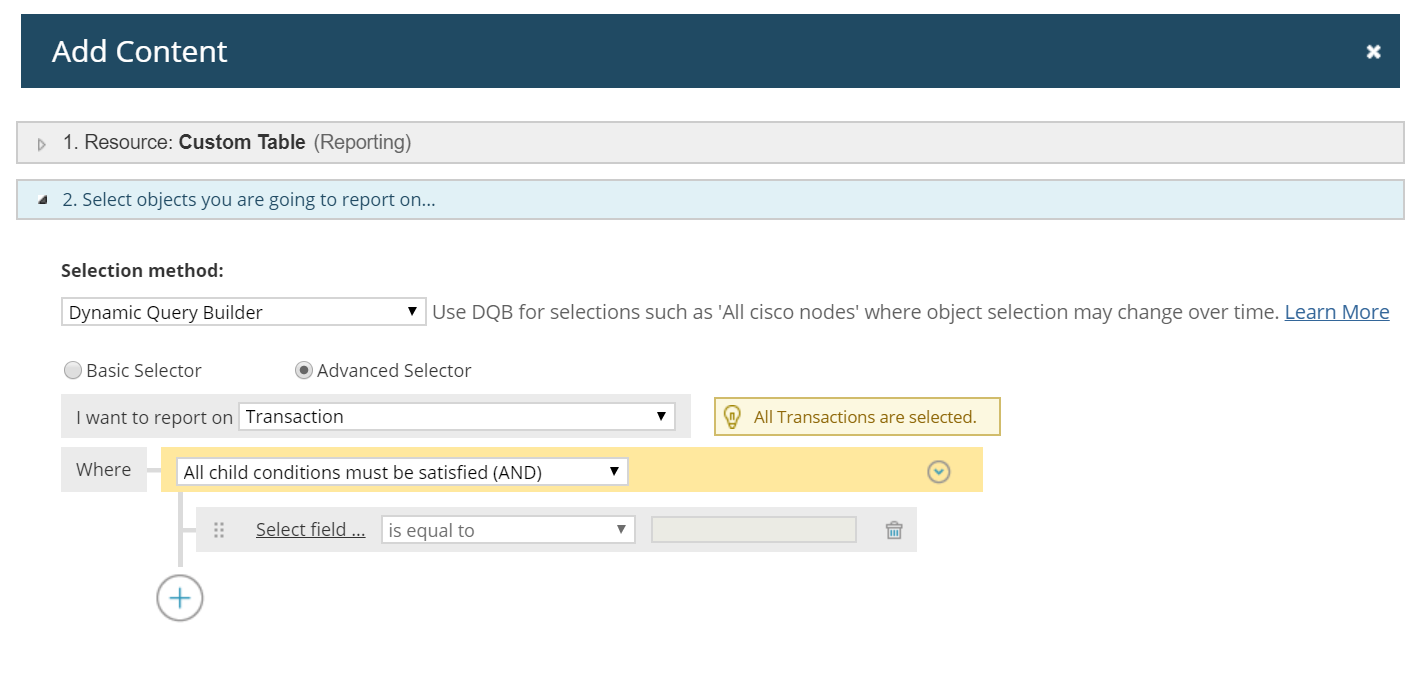
3. Copy the input below for our data source, this will report on all the transactions available. Should you want to choose a specific transaction, you may add a condition. Then click Add to Layout.
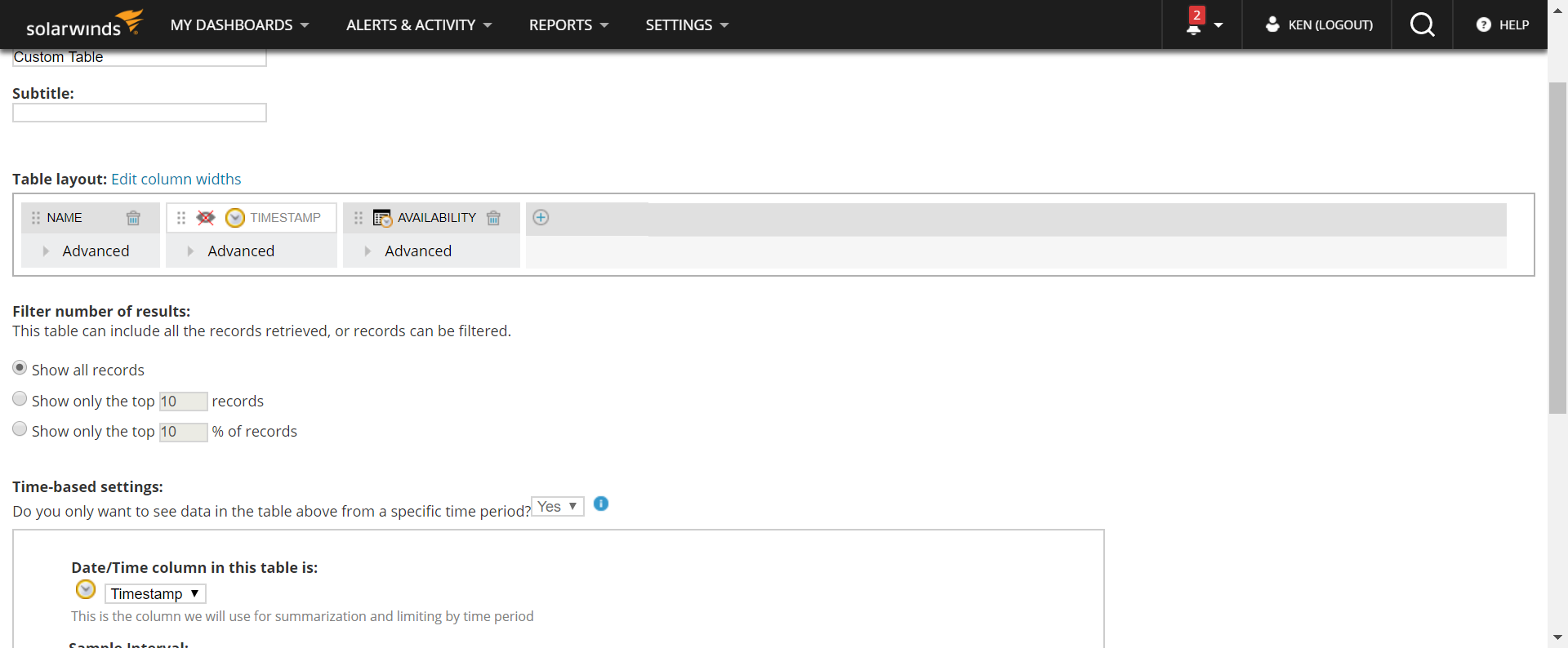
4. Add the columns to be displayed in the report, you may also copy the columns on the sample below, this will display the Name of the transaction and it's Availability, feel free to play and modify the report on this part like checking the sample interval and how the report will be displayed. Then hit Submit.
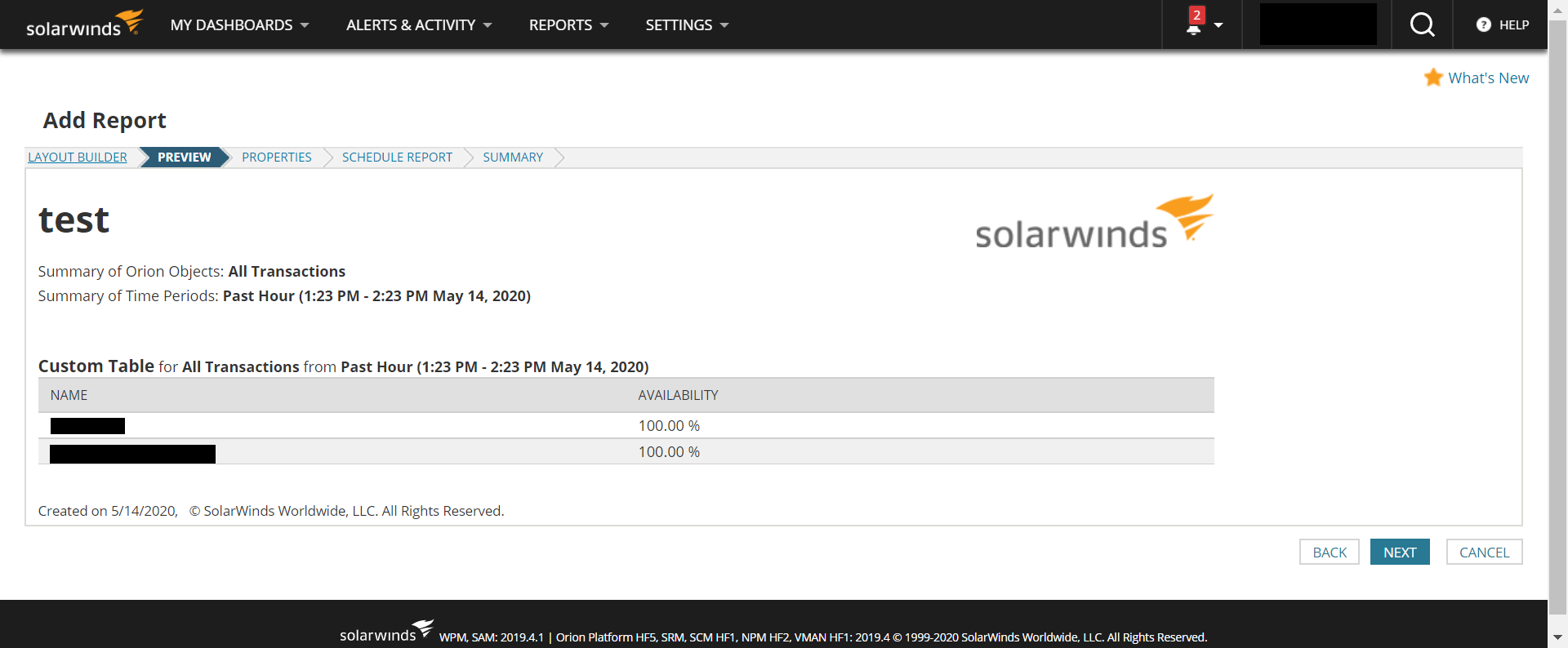
5. Hit next and preview the report, the simple report should look similar below:
6. Complete the whole process of creating the report by completing the properties tab, scheduling the report. Check out the summary if you have missed anything and then hit submit.
2. Select Custom Table
3. Copy the input below for our data source, this will report on all the transactions available. Should you want to choose a specific transaction, you may add a condition. Then click Add to Layout.
4. Add the columns to be displayed in the report, you may also copy the columns on the sample below, this will display the Name of the transaction and it's Availability, feel free to play and modify the report on this part like checking the sample interval and how the report will be displayed. Then hit Submit.
5. Hit next and preview the report, the simple report should look similar below:
6. Complete the whole process of creating the report by completing the properties tab, scheduling the report. Check out the summary if you have missed anything and then hit submit.