
Tools
Create your own SSH host key in Serv-U
This article shows how to create your own SSH host key or private key for SFTP.
First published date
7/23/2024 1:29 AM
Last published date
7/23/2025 9:00 PM
Overview
Upon installation, Serv-U generates the default SSL certificate and SSH host key, which are saved to the Microsoft Certificate Store. To generate your own, which is a best practice, and so you can backup the key file, please follow the steps below.
Product section
Serv-U Managed File Transfer & Serv-U FTP Server
Resolution
1. In Serv-U, select the Domain and go to Limits & Settings > Encryption.
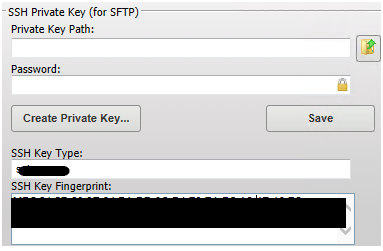
2. Click Create Private Key under the SSH Private key (for SFTP).
3. Enter a name for the private key (for example, MyDomainKey), which is also used to name the storage file.
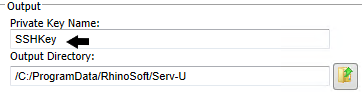
4. Enter the output path of the certificate. For example, C:\ProgramData\SolarWinds\Serv-U\.

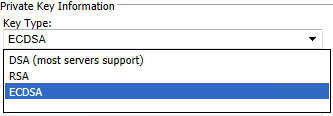
5. Select the Key Type.
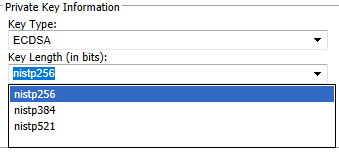
6. Select the Key Length (Note: Key Length will depend on the type of key selected).
7. Enter the password to use for securing the private key file.
8. Click Create.
9. After you create a new key, Serv-U displays the SSH key fingerprint associated with the new private key.
2. Click Create Private Key under the SSH Private key (for SFTP).
3. Enter a name for the private key (for example, MyDomainKey), which is also used to name the storage file.
4. Enter the output path of the certificate. For example, C:\ProgramData\SolarWinds\Serv-U\.
5. Select the Key Type.
6. Select the Key Length (Note: Key Length will depend on the type of key selected).
7. Enter the password to use for securing the private key file.
8. Click Create.
9. After you create a new key, Serv-U displays the SSH key fingerprint associated with the new private key.