
Tools
Configuring Serv-U As A Service
This article describes how to configure Serv-U as a service.
First published date
5/6/2019 3:54 PM
Last published date
9/7/2022 4:54 PM
Overview
The following information provides the steps on how to configure Serv-U as a service.
Product section
Serv-U Managed File Transfer & Serv-U FTP Server
Resolution
To configure Serv-U to run as a system service or as an application, follow these steps:
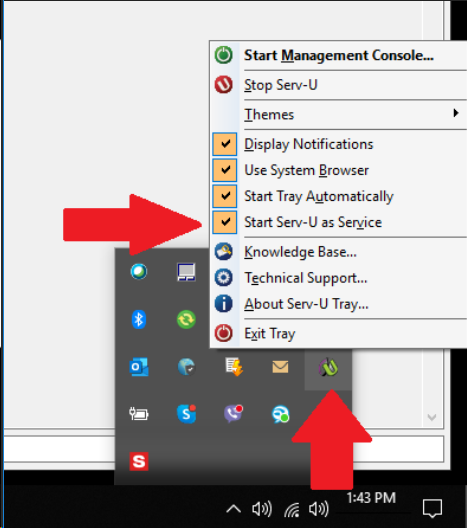
- Log on to the server where Serv-U is installed.
- Right-click on the Serv-U Tray Monitor.
- Click the "Start Serv-U as Service" option:
- Checked means that Serv-U starts as a service
- Unchecked means Serv-U will run as an application