
Network Management
Configuration Wizard Services configuration failed: Access to the path 'C:\Program Files (x86)\Common Files\SolarWinds\InformationService\plugins\Orion.plugin' is denied.
This article shows how to isolate and resolve an issue completing the Configuration Wizard hitting a failure for Services configuration failed: Access to the path 'C:\Program Files (x86)\Common Files\SolarWinds\InformationService\plugins\Orion.plugin' is denied.
First published date
3/29/2022 1:49 AM
Last published date
3/29/2022 1:49 AM
Overview
Configuration Wizard hitting failure similar below:
Orion Information Service plugin FAILED
Services configuration failed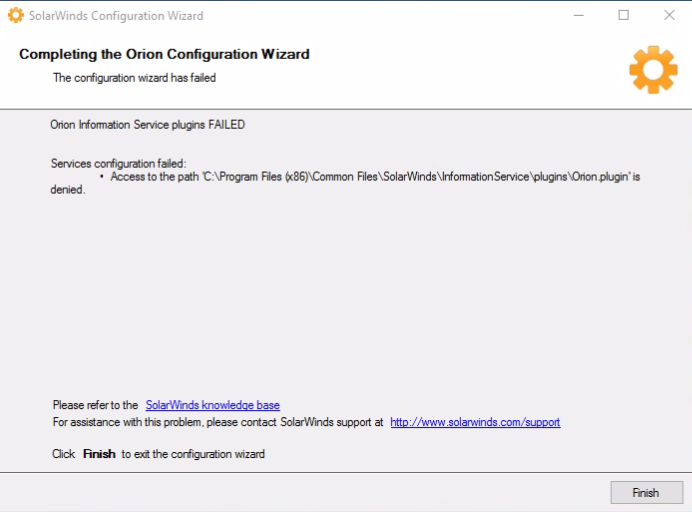
System.UnauthorizedAccessException: Access to the path 'C:\Program Files (x86)\Common Files\SolarWinds\InformationService\plugins\Orion.plugin' is denied.
Orion Information Service plugin FAILED
Services configuration failed
- Access to the path 'C:\Program Files (x86)\Common Files\SolarWinds\InformationService\plugins\Orion.plugin' is denied.
- ERROR seen in the ConfigurationWizard.log (C:\ProgramData\SolarWinds\Logs\Orion):
System.UnauthorizedAccessException: Access to the path 'C:\Program Files (x86)\Common Files\SolarWinds\InformationService\plugins\Orion.plugin' is denied.
Product section
Network Performance Monitor
Cause
- The Orion.plugin file is currently Hidden and/or Read-only access
- The entire Program Files (x86) folder (or any sub-folder herein) is currently on Hidden and Read-only
Resolution
- RDP to the Orion Server as Local Administrator
- Verify the Program Files (x86) folder (or any sub-folder herein) are currently Hidden or set as Read-only and have it corrected accordingly
- Re-run the Configuration Wizard as Administrator
Disclaimer: Please note, any content posted herein is provided as a suggestion or recommendation to you for your internal use. This is not part of the SolarWinds software or documentation that you purchased from SolarWinds, and the information set forth herein may come from third parties. Your organization should internally review and assess to what extent, if any, such custom scripts or recommendations will be incorporated into your environment. You elect to use third-party content at your own risk, and you will be solely responsible for the incorporation of the same if any.