
Observability
Configuration Wizard Error: Some of your modules (Platform Connect) don't support Azure database
This article provides information about an error message when running the configuration wizard after upgrading SolarWinds Platform 2024.2.1.
First published date
7/25/2024 7:15 PM
Last published date
2/19/2025 1:31 AM
Overview
When running configuration wizard, the following error message may appear:
Some of your modules (Platform Connect) don't support Azure database
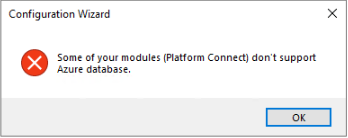
Some of your modules (Platform Connect) don't support Azure database
Product section
Hybrid Cloud Observability
Cause
This issue occurs because the Platform Connect module is not on the list of supported in AzureSQL. SolarWinds Databases hosted on Azure SQL DB or Managed Instance could run into this.
Resolution
This issue is resolved in SolarWinds Platform 2024.4 and above. To workaround this problem, perform the following steps:
- From the polling engine where you encounter the error, edit the PCI.xml file which is located where SolarWinds Platform is installed.
Default Location: C:\Program Files (x86)\SolarWinds\Orion\Modules. This is the module for Platform Connect.
Add the code below between <DatabaseRequirements> and </DatabaseRequirements>:
<AzureSupported>true</AzureSupported>
<RequiredFeatures>None</RequiredFeatures>
Working Example:
Note: These steps should be performed on the Additional Polling Engines (APE) as well.
- Run the configuration wizard