
Tools
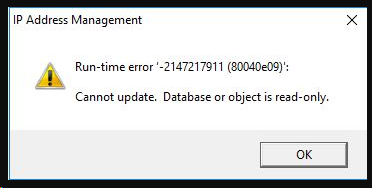
Cannot update. Database or object is read-only error when adding new subnets in Toolset IP Address Management
This article shows how to troubleshoot an issue where error "Run-time error '-2147217911 (80040e09) Cannot update. Database or object is read-only" shows when adding a new subnet in Toolset IP Address Management
First published date
9/18/2020 12:05 AM
Last published date
9/18/2020 12:05 AM
Overview
"Run-time error '-2147217911 (80040e09) Cannot update. Database or object is read-only" shows when adding a new subnet in Toolset IP Address Management.
Product section
Engineers Toolset
Resolution
- Locate the folder location of the current IP Address Management database.
- Launch IP Address Management > go to File > Open IP Management Database. Look for the .IPDB file.
- Copy this file into another folder location.
- Back in IP Address Management > go to File > click Close IP Management Database.
- Then try to load the copy of the database that was saved on another location.
- Add a new subnet and see if it will save the changes.
- If the changes are saved, copy that updated database back to the original folder location.
- Go back to IP Address Management > go to File > Open IP Management Database. Look for the updated .IPDB file.
- New subnets will be added to the database now with no issues.