
Tools
Cannot connect to the remote computer on a Workgroup that has no password in Dameware Mini Remote Control (MRC)
This article shows how to resolve connection issues to the remote PC that has no password.
First published date
2/4/2022 8:42 PM
Last published date
2/4/2022 8:42 PM
Overview
Normally, when you connect to the remote computer, it has a username and password. In some cases, there is a machine that has no password on it, just the username. Windows NT Challenge Response or Encrypted Windows Logon could not work as well.
Product section
Dameware Remote Support & Mini Remote Control
Cause
Dameware Mini Remote Control requires a password.
Resolution
Enable the Proprietary Challenge/Response on the MRC agent.
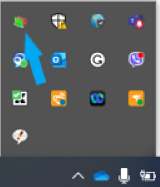
1. Go to the remote computer, right-click the MRC agent tray.
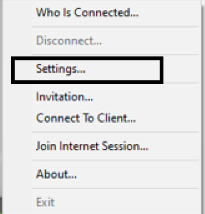
2. Select the Settings.
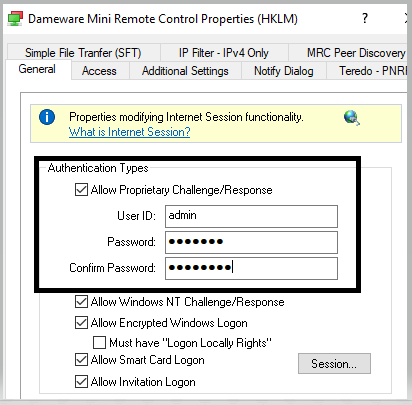
3. Select the box "Allow Proprietary Challenge/Response", set the preferred User ID and Password then click OK.
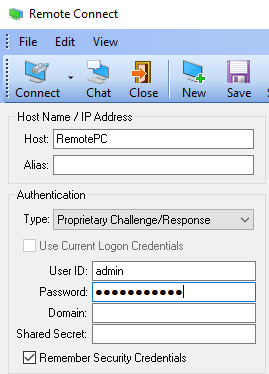
4. In the MRC host computer, select the Proprietary Challenge/Response as the authentication method.
1. Go to the remote computer, right-click the MRC agent tray.
2. Select the Settings.
3. Select the box "Allow Proprietary Challenge/Response", set the preferred User ID and Password then click OK.
4. In the MRC host computer, select the Proprietary Challenge/Response as the authentication method.