
Applications Systems
Cannot Disable Trusts on AppInsight for Active Directory
Not allowing user to disable AppInsight for active directory components. The Trusts component cannot be disabled in AppInsight for Active Directory. LDAP monitor cannot be disabled.
First published date
12/9/2019 8:12 PM
Last published date
12/9/2019 8:12 PM
Overview
This article is designed for users having trouble disabling components within the template: AppInsight for Active Directory. This issue is present when editing the application to disable the component or editing at the template level. Upon disabling the component called "trusts," when the user submits the change and saves the application/template the page does not save the setting and it does not exit the page.
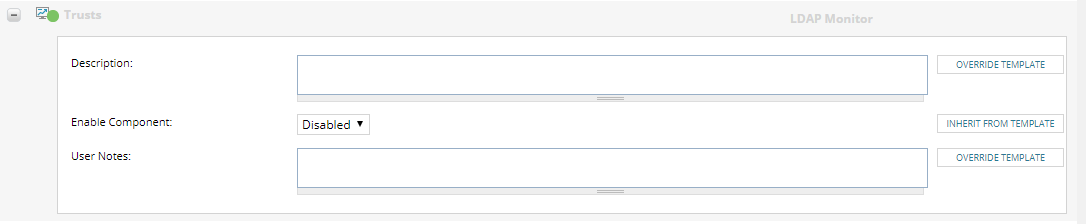
The OrionWeb.log will not provide any errors when reproducing this issue. If Developer tools are enabled on the browser, the page will produce a 500 Internal Server Error.
The OrionWeb.log will not provide any errors when reproducing this issue. If Developer tools are enabled on the browser, the page will produce a 500 Internal Server Error.
Product section
Server Application Monitor
Cause
Unknown
Resolution
This is a known issue with SAM 2019.4. The "Trusts" component within AppInsight for active directory provides the option to disable the component. However, this option should not be visible. AppInsight applications (SQL, IIS, Exchange, & Active Directory) do not have the ability to disable component monitors via the web interface. The only exception to this rule are components types:
• Windows Service Monitor
• Windows Process Monitor
• Custom Performance Counter
Therefore, all LDAP monitors cannot be disabled.
• Windows Service Monitor
• Windows Process Monitor
• Custom Performance Counter
Therefore, all LDAP monitors cannot be disabled.