
Database Management
CREATE TABLE #tempshowfilestats causing SQL Server dumps due to timeouts in SQL Sentry
SQL Sentry causes SQL Server dumps due to a timeout from a CREATE TABLE used to gather server information.
First published date
11/22/2021 9:39 PM
Last published date
1/31/2026 12:04 AM
Overview
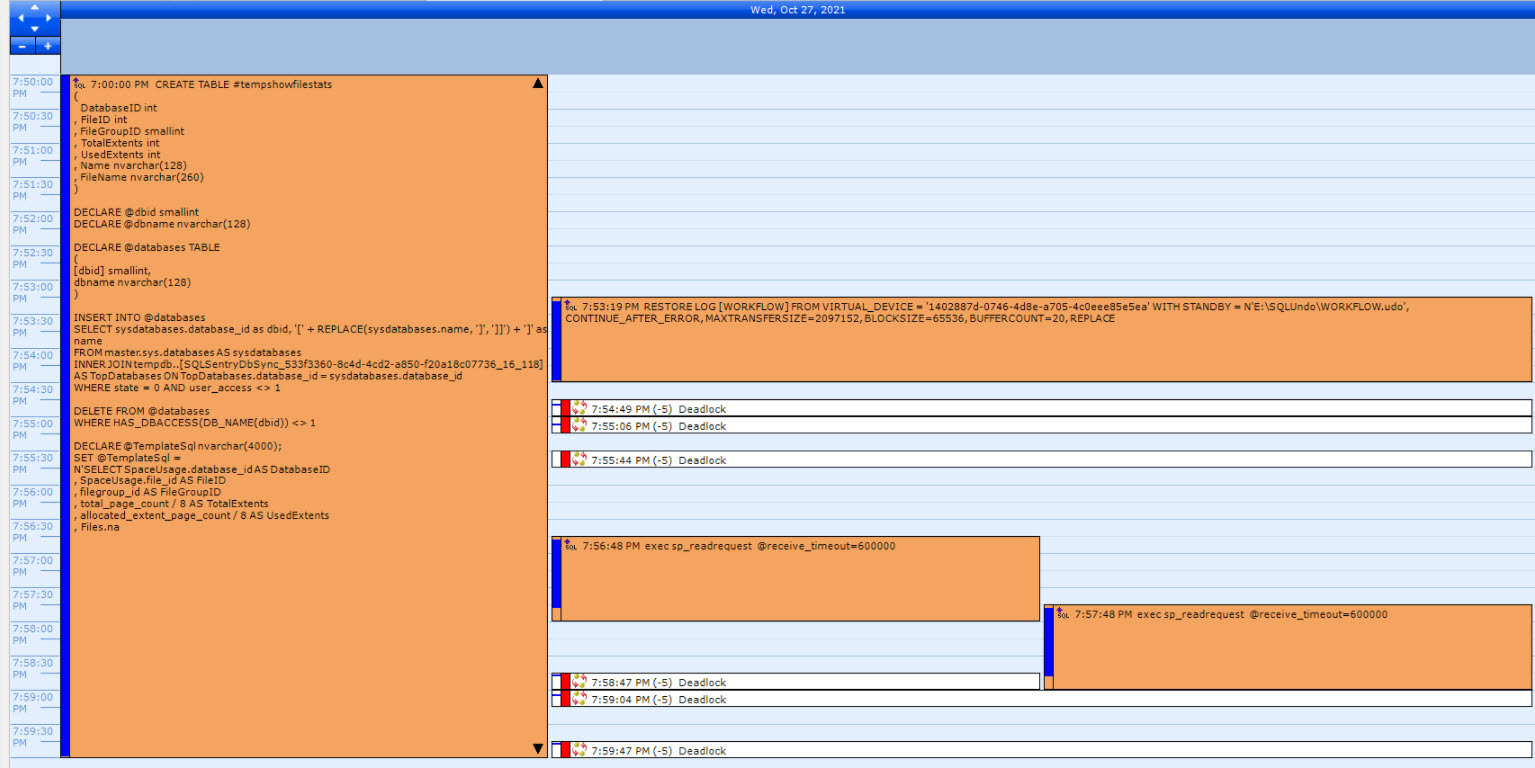
This CREATE TABLE #tempshowfilestats query runs for long periods of time causing deadlocks and SQL Server dumps.
Product section
SQL Sentry (SQLS)
Cause
The CREATE TABLE #tempshowfilestats query used by SQL Sentry gathers all of the servers and database names even if not watched.
Sometimes it completes successfully, but most of the time it fails with a timeout error and triggers an error message “Component SQL Server is unavailable” in Dashboard. Also, it unnecessarily uses a lot of CPU power every 15 minutes to run this query.
DECLARE @TemplateSql nvarchar(4000);
SET @TemplateSql = N'SELECT SpaceUsage.database_id AS DatabaseID , SpaceUsage.file_id AS FileID , filegroup_id AS FileGroupID , total_page_count / 8 AS TotalExtents , allocated_extent_page_count / 8 AS UsedExtents , Files.name AS Name , Files.physical_name AS PhysicalName FROM DatabaseName.sys.dm_db_file_space_usage SpaceUsage INNER JOIN sys.master_files Files ON Files.database_id = SpaceUsage.database_id AND Files.file_id = SpaceUsage.file_id';
Sometimes it completes successfully, but most of the time it fails with a timeout error and triggers an error message “Component SQL Server is unavailable” in Dashboard. Also, it unnecessarily uses a lot of CPU power every 15 minutes to run this query.
Resolution
This query gathers information that is not used by SQL Sentry and will be removed in a newer build. The workaround is to stop watching the target completely or during server restores. Bug 64645.
After version, 2022.2.0:
1. Look at the FeatureFlag table in the DB.
dbo.FeatureFlag
2. If the table is empty, run the insert statement:
After version, 2022.2.0:
1. Look at the FeatureFlag table in the DB.
dbo.FeatureFlag
2. If the table is empty, run the insert statement:
-- Scripts are not supported under any SolarWinds support program or service.
-- Scripts are provided AS IS without warranty of any kind. SolarWinds further
-- disclaims all warranties including, without limitation, any implied warranties
-- of merchantability or of fitness for a particular purpose. The risk arising
-- out of the use or performance of the scripts and documentation stays with you.
-- In no event shall SolarWinds or anyone else involved in the creation,
-- production, or delivery of the scripts be liable for any damages whatsoever
-- (including, without limitation, damages for loss of business profits, business
-- interruption, loss of business information, or other pecuniary loss) arising
-- out of the use of or inability to use the scripts or documentation.

INSERT INTO[FeatureFlag] ([Name], [Enabled]) VALUES ('SqlFileSizeDbccRetriever', 1)