
Database Management
BI xPress - The Connection "ConnectionNameHere" is not found. Error messages
This article will guide to fix the error: "The connection <ConnectionNameHere> is not found."
First published date
7/29/2021 2:37 PM
Last published date
8/5/2021 1:29 PM
Overview
Customers may experience two error messages at the beginning of an executed package (please see screenshot below for an example).
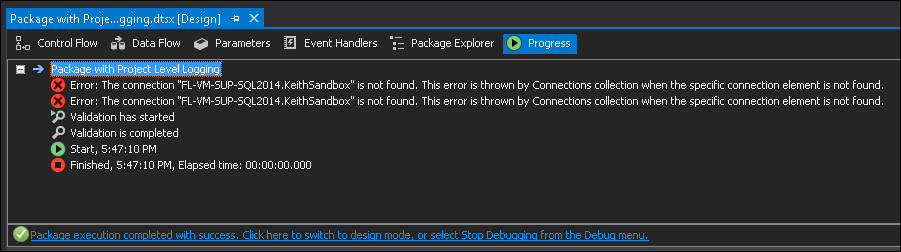
To demonstrate the issue, a test project was created. The project is fundamental, with three (3) blank packages. None of the packages use the Pragmatic Works Audit Framework.
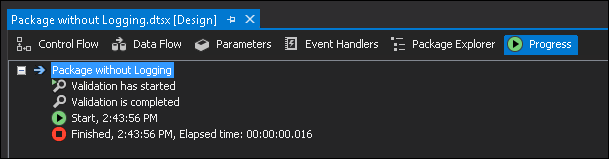
(A) One package without any logging.
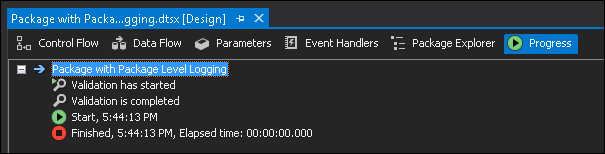
(B) One package with logging enabled that uses a package-level connection manager.
(C) One package with logging enabled that uses a project-level connection manager.
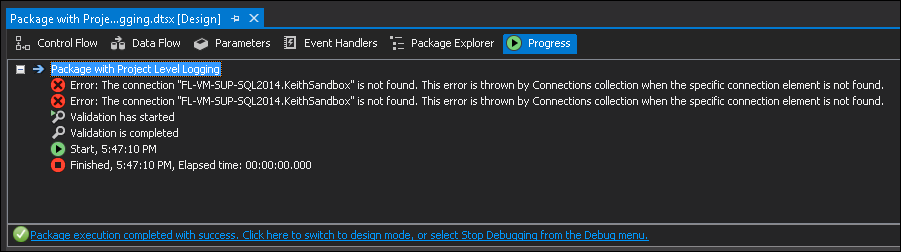
The package without any logging (package A) and package-level logging (package B) execute without any errors. However, the package that uses a project-level connection (package C) throws the error indicating that it can't find the project-level connection but still completes successfully.
These are fundamental, blank packages that do not have any frameworks applied to them. The behavior illustrated is due to a Microsoft issue and not a Pragmatic Works issue.
To demonstrate the issue, a test project was created. The project is fundamental, with three (3) blank packages. None of the packages use the Pragmatic Works Audit Framework.
(A) One package without any logging.
(B) One package with logging enabled that uses a package-level connection manager.
(C) One package with logging enabled that uses a project-level connection manager.
The package without any logging (package A) and package-level logging (package B) execute without any errors. However, the package that uses a project-level connection (package C) throws the error indicating that it can't find the project-level connection but still completes successfully.
These are fundamental, blank packages that do not have any frameworks applied to them. The behavior illustrated is due to a Microsoft issue and not a Pragmatic Works issue.
Product section
BI xPress
Cause
The issue is caused by Microsoft loading and executing the packages within SQL Server Data Tools. SSDT for SSIS 2014 & 2012 incorrectly loads the package without initializing the project, causing these errors. SSDT for SSIS 2016 has resolved this issue and loads the project context before initializing the package, and these errors do not occur.
Resolution
Microsoft resolved this issue when using SSDT 2015.