
Applications Systems
AppInsight for SQL Credentials Fail with Agent Polling
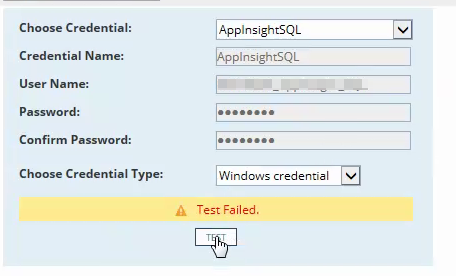
AppInsight for SQL application is not polling. Receiving error: Unable to establish SQL connection, check credentials. Logon failure: the user has not been granted the requested logon type at this computer. Test credentials works when polling the node WMI but not when polling via Orion Agent.
First published date
10/1/2019 3:01 PM
Last published date
10/1/2019 3:01 PM
Overview
AppInsight may fail when pollng via the Orion Agent. This is typically due to local permissions for the Windows User. Some environments may have additional restrictions to local users trying to access the SQL server.
Product section
Server Application Monitor
Cause
The account needs to be granted 'Log on as a Batch Job'
Resolution
To grant 'Log on as a Batch Job' follow the steps below.
- In the Control Panel, open Administrative Tools, then Local Security Policy.
- Beneath Security Settings, open Local Policies and highlight User Rights Assignment.
- Locate Log on as a batch job. Open the properties and add any users that need this right.
- When finished, save your changes and close the Local Security Settings window.