
Tools
An error occurred while updating the WHD database
An error occurred while updating the WHD database: spring application did not start successfully.
First published date
8/14/2019 2:49 PM
Last published date
4/22/2025 6:37 PM
Overview
After upgrading the Web Help Desk from 12.5 / 12.6 to 12.7.5 or later versions, you may see "an error occurred while updating the WHD database: spring application did not start successfully."
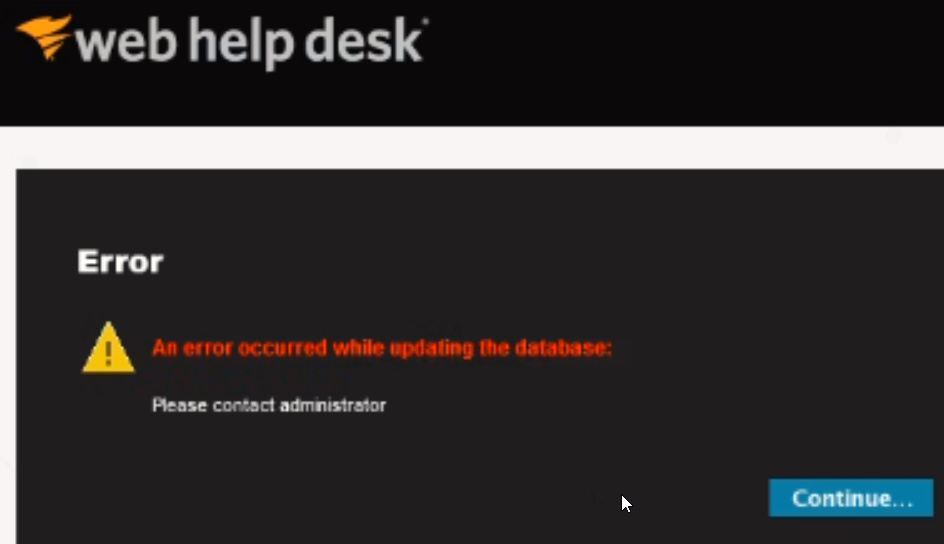
Following errors noted in whd.log file
Following errors noted in whd.log file
2022-02-12 09:22:32.501 [ApplicationManager-1] ERROR c.solarwinds.config.DatabaseUpgrader - Error occured when executing statement: INSERT INTO DATABASE_VERSION (UPDATE_DATE, VERSION) VALUES (CURRENT_TIMESTAMP, '12.7.0')
2022-02-12 09:22:32.501 [ApplicationManager-1] ERROR c.solarwinds.config.DatabaseUpgrader - SQL State code:23000
2022-02-12 09:22:32.501 [ApplicationManager-1] ERROR c.solarwinds.config.DatabaseUpgrader - SQL Error code:515
2022-02-12 09:22:32.501 [ApplicationManager-1] ERROR c.solarwinds.config.DatabaseUpgrader - SQL Error message com.microsoft.sqlserver.jdbc.SQLServerException: Cannot insert the value NULL into column 'ID', table 'whd.dbo.DATABASE_VERSION'; column does not allow nulls. INSERT fails.
2022-02-12 09:22:32.530 [ApplicationManager-1] ERROR c.s.w.s.a.i.WhdApplicationManagerImpl - Failed to start WHD application. Reason: DB_INIT_FAILED
com.microsoft.sqlserver.jdbc.SQLServerException: Cannot insert the value NULL into column 'ID', table 'whd.dbo.DATABASE_VERSION'; column does not allow nulls. INSERT fails.
Product section
Web Help Desk
Cause
Multiple reasons
Resolution
Resolution 1:
Workaround (For WHD with MySQL DB):
1. Execute the following SQL statements against the WHD DB via your favorite MySQL client app.
Workaround (For WHD with MSSQL DB):
1. Open SQL Management Studio and execute the following Statements against the SQL DB
- Login to the WHD Windows server using a local administrator user account.
- Go to the WHD conf folder. The default is C:\Program Files\WebHelpDesk\conf
- Rename .whd.properties to .whd.properties.old
- Stop/Start WebHelpDesk services through Windows > services.msc.
- Relaunch the WHD Web Page.
- Login to the WHD Windows server using a local administrator user account.
- Stop the WHD application.
- Restart the WHD server.
Workaround (For WHD with MySQL DB):
1. Execute the following SQL statements against the WHD DB via your favorite MySQL client app.
-- Scripts are not supported under any SolarWinds support program or service.
-- Scripts are provided AS IS without warranty of any kind. SolarWinds further
-- disclaims all warranties including, without limitation, any implied warranties
-- of merchantability or of fitness for a particular purpose. The risk arising
-- out of the use or performance of the scripts and documentation stays with you.
-- In no event shall SolarWinds or anyone else involved in the creation,
-- production, or delivery of the scripts be liable for any damages whatsoever
-- (including, without limitation, damages for loss of business profits, business
-- interruption, loss of business information, or other pecuniary loss) arising
-- out of the use of or inability to use the scripts or documentation.

ALTER TABLE database_version MODIFY ID BIGINT NOT NULL AUTO_INCREMENT;
ALTER TABLE database_version AUTO_INCREMENT = <highest ID value+1) for id column;
2. Go to the WHD web console, refresh the page, and click continue when prompted.
Workaround (For WHD with MSSQL DB):
1. Open SQL Management Studio and execute the following Statements against the SQL DB
-- Scripts are not supported under any SolarWinds support program or service.
-- Scripts are provided AS IS without warranty of any kind. SolarWinds further
-- disclaims all warranties including, without limitation, any implied warranties
-- of merchantability or of fitness for a particular purpose. The risk arising
-- out of the use or performance of the scripts and documentation stays with you.
-- In no event shall SolarWinds or anyone else involved in the creation,
-- production, or delivery of the scripts be liable for any damages whatsoever
-- (including, without limitation, damages for loss of business profits, business
-- interruption, loss of business information, or other pecuniary loss) arising
-- out of the use of or inability to use the scripts or documentation.

INSERT INTO DATABASE_VERSION (ID, UPDATE_DATE, VERSION) VALUES ("Replace With Highest ID+1", CURRENT_TIMESTAMP, '12.7.0');
INSERT INTO DATABASE_VERSION (ID, UPDATE_DATE, VERSION) VALUES ("Replace With Highest ID+1", CURRENT_TIMESTAMP, '12.7.5');

Note:  The version maybe different in your case, update the version accordingly.
2. Go to the WHD web console, refresh the page, and click continue when prompted.