
Network Management
Alert email action messages shows volume percentage with 5 decimal places
When using alert email actions for volumes percentage, the output shows the value in 5 decimal places. For example 90.12345%. This shows hows to format the output to be in whole numbers which rounds up the 5 decimal places.
First published date
10/10/2018 12:39 PM
Last published date
10/13/2022 12:44 PM
Overview
When using alert email actions for volumes percentage, the output shows the value in 5 decimal places. For example 90.12345%.
This shows hows to format the output to be in whole numbers which rounds up the 5 decimal places.
Product section
Network Performance Monitor
Cause
This is by design, the value of the percentage of volumes are formatted by 5 decimal places.
Resolution
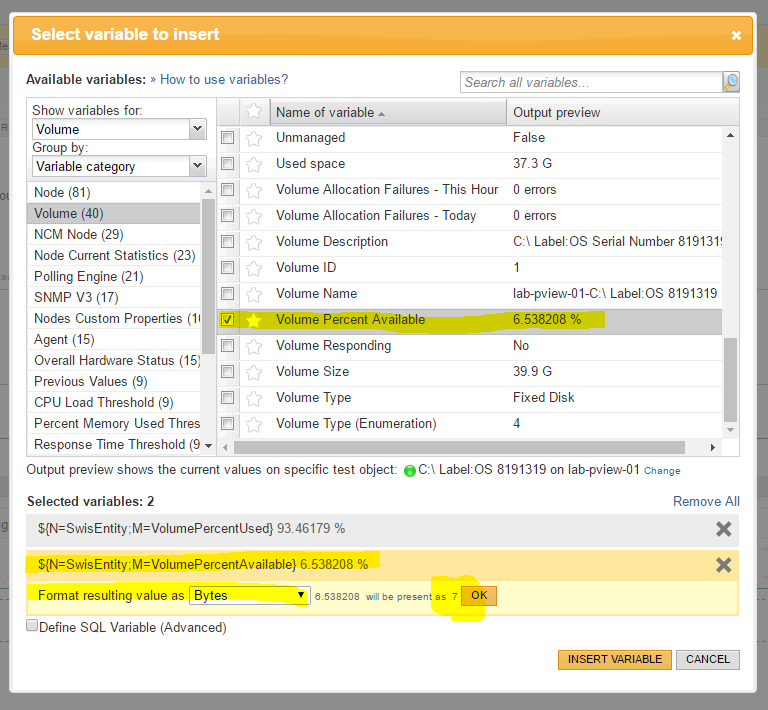
1. To remove the decimal places entirely from the Volume Percent Available variable when parsed is to, add the option of Format Output Value and select Bytes, then type a '%' after the variable is inserted in the message:
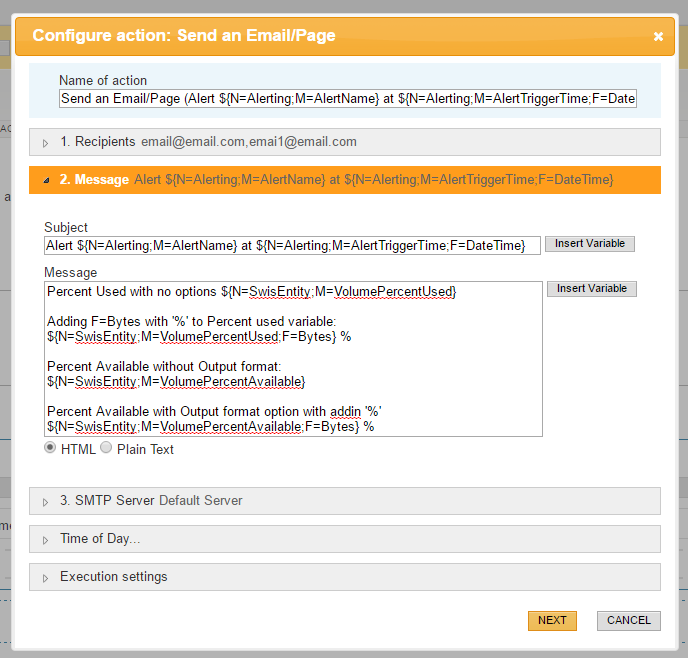
2. To remove the decimal places entirely from the Percent Used'variable when parsed is to, add in the variable syntax F=Bytes inside the '{}' and then the percent symbol behind the variable:
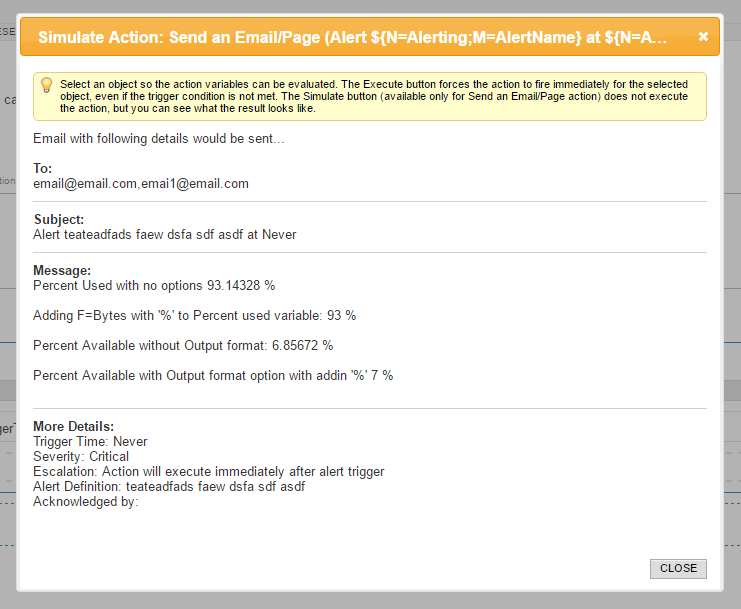
3. It should look like the below after setting the format
2. To remove the decimal places entirely from the Percent Used'variable when parsed is to, add in the variable syntax F=Bytes inside the '{}' and then the percent symbol behind the variable:
${N=SwisEntity;M=VolumePercentUsed;F=Bytes} % 3. It should look like the below after setting the format