Applications Systems
Adjust data retention settings in SAM
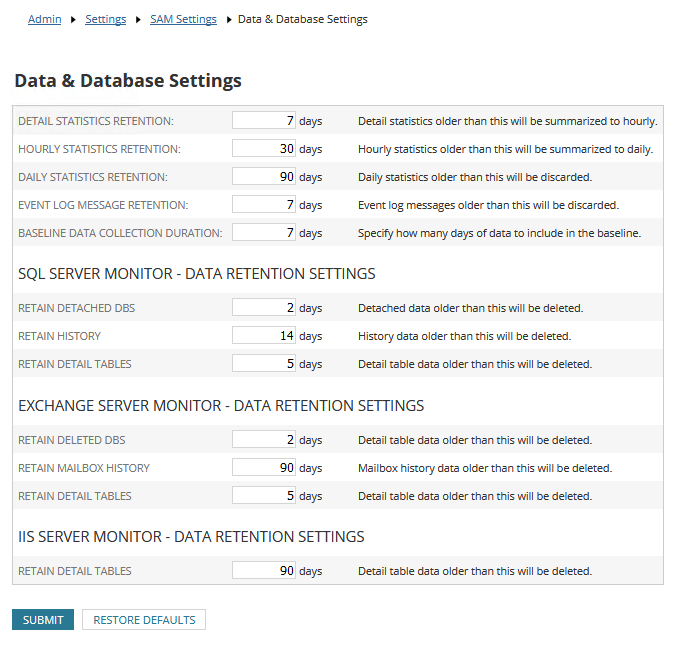
This article describes how to change database retention settings in SAM
First published date
11/29/2018 10:52 PM
Last published date
1/8/2025 4:46 PM
Overview
This article describes how to change database retention settings in SAM. (SolarWinds recommends to use default values as increasing them will also increase the size of your database).
Product section
Server Application Monitor
Resolution
On the web console, go to Settings > All Settings > SAM Settings > Data and Database Settings