Network Management
Adjust Autogrowth settings in database
This article will show how to adjust the SQL autogrowth setting
First published date
6/15/2022 8:53 PM
Last published date
6/15/2022 8:55 PM
Overview
SolarWinds Developers recommend increasing the autogrowth setting on the database as part of best practices and to ensure Orion runs smoothly.
Product section
Orion Platform
Cause
Microsoft defaults are not adequate for the high transactions Orion puts on the database.
Resolution
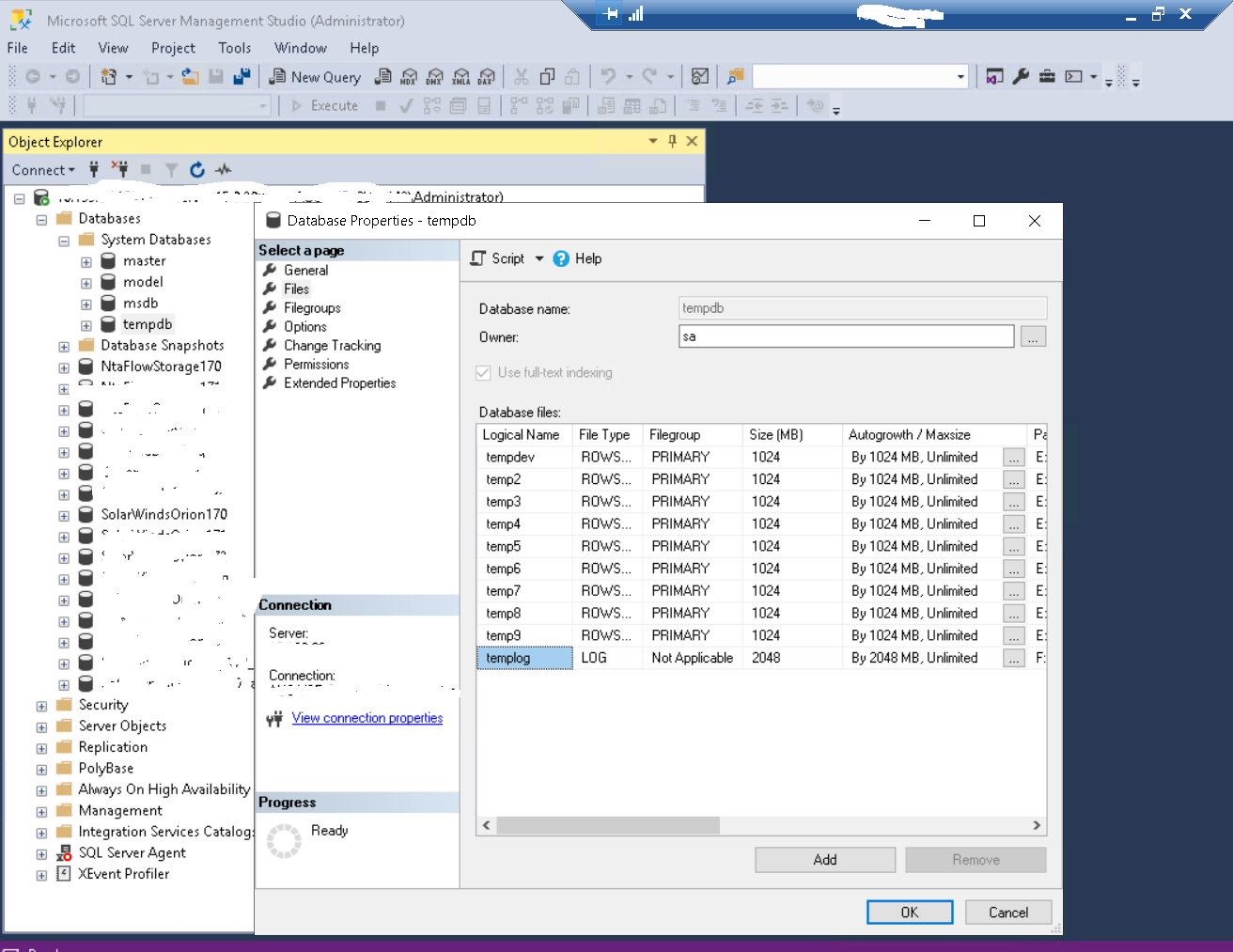
1. Login to SSMS: SQL Management Studio under admin account with SA permissions
2. Expand “Databases”
2. Expand “Databases”
3. Expand “System Databases”
4. Right click on “tempdb” and select “properties”
5. Adjust Size and Autogrowth on all temp rows to 1024MB
6. Adjust Size and Autogrowth on“templog” to 2048MB