
Applications Systems
Add Cloud Account Fails
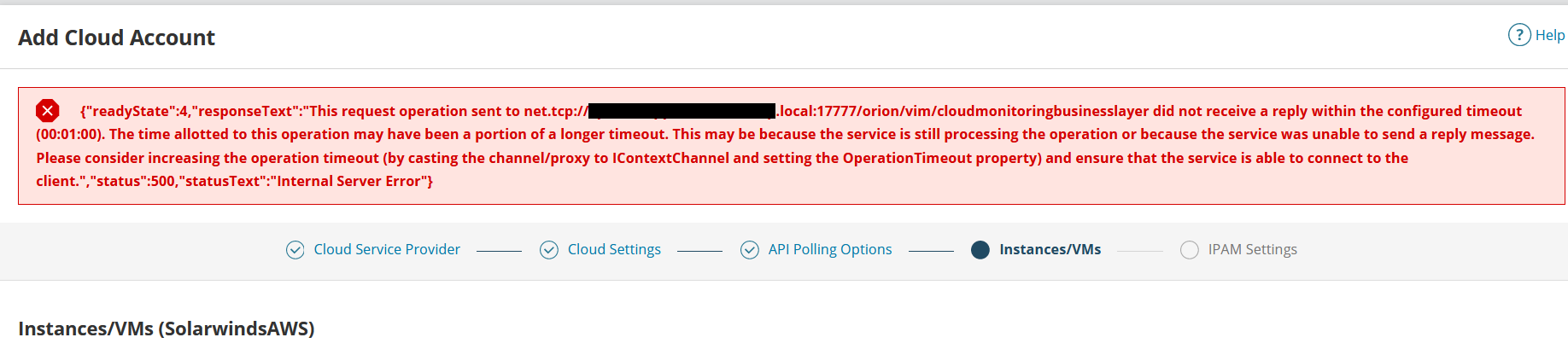
{"readyState"}:4,"responseText":"This request operation sent to net.tcp://server.local:17777/orion/vim/cloudmonitoringbusinesslayer did not receive a reply within the configured timeout (00:01:00) The time allotted to this operation may have been a portion of a longer timeout. This may be because the service is still processing the the operation or because the service was unable to send a reply message. Adding a AWS account. Amazon Web services account fails. CloudmonitoringBusinessLayer called failed
First published date
1/11/2022 6:52 PM
Last published date
1/11/2022 6:52 PM
Overview
Upon adding a cloud account (such as AWS), the user can experience the following message.
Product section
Server Application Monitor
Cause
Failed local call to the cloud monitoring BusinessLayer
Resolution
It is likely that the cloud BusinessLayer needs a restart. This is a subprocess of the service called Orion Module Engine.
- Log into the primary polling engine (cloud polling is always performed by the Main Polling Engine)
- Open the start menu > SolarWinds Orion > Orion Service Manager
- Find and click the Orion Module Engine and click restart at the bottom
- Retry the add cloud account (you may need to wait about 5 minutes for the web console to become responsive after this service is restarted).
- Restarting all services
- Rebooting the Main Polling Engine
- Ensuring port 443 is open bidirectionally between main poller and aws.
- Contacting solarwinds technical support