
Database Management
SQL Sentry error: AUTO_CLOSE is not supported with databases that have a MEMORY_OPTIMIZED_DATA filegroup.
The installation of SQL Sentry rolls back for new databases due to the AUTO_CLOSE feature being enabled.
First published date
2/16/2022 12:29 AM
Last published date
11/12/2025 11:53 PM
Overview
The installation log will be in a similar location as C:\Users\SOMEUSER\AppData\Local\Temp and will have the below error when it tries to install the scalability pack.
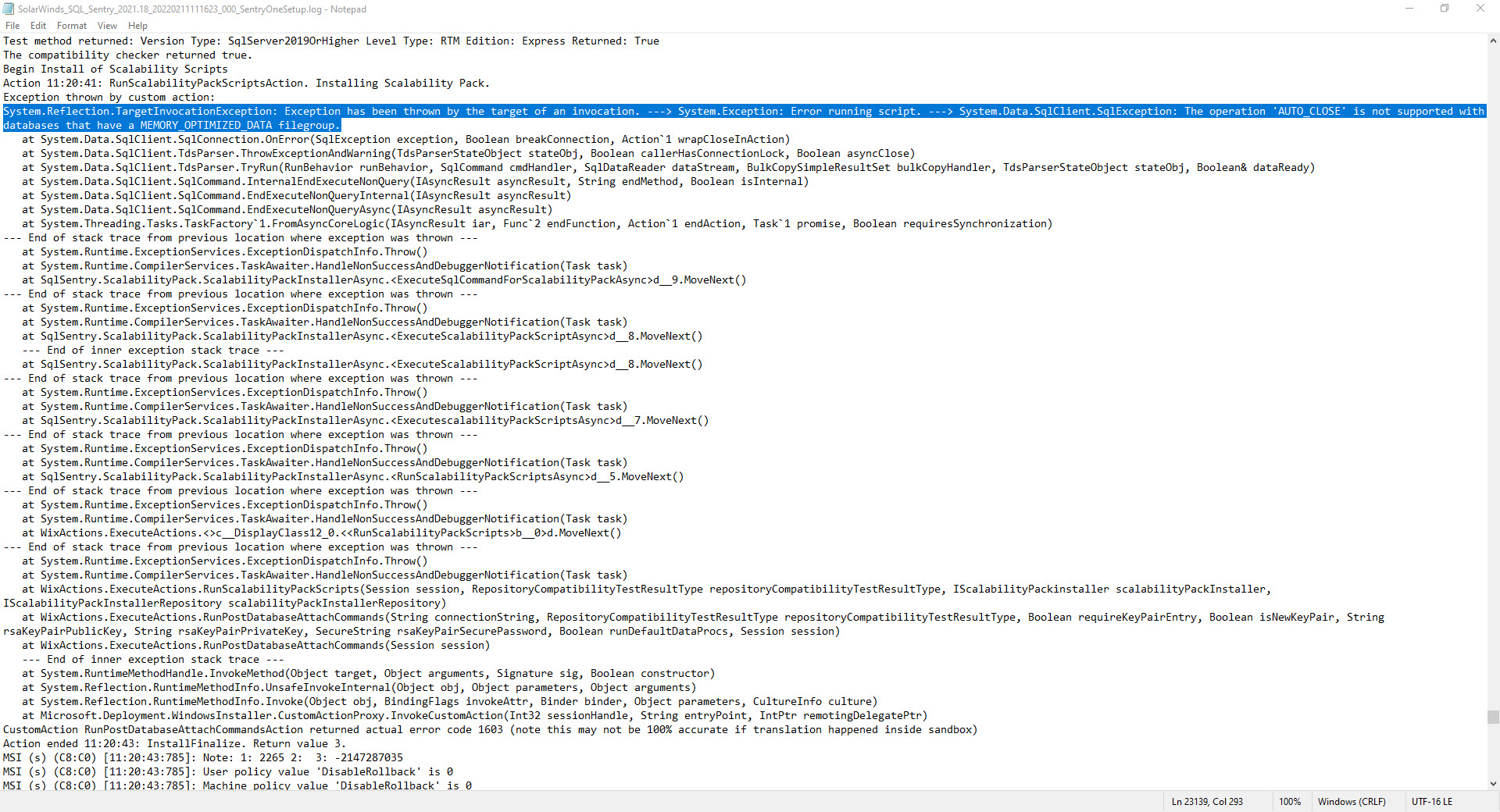
System.Reflection.TargetInvocationException: Exception has been thrown by the target of an invocation. ---> System.Exception: Error running script. ---> System.Data.SqlClient.SqlException: The operation 'AUTO_CLOSE' is not supported with databases that have a MEMORY_OPTIMIZED_DATA filegroup.
Product section
SQL Sentry (SQLS)
Cause
By default, SQL Express creates databases with the
AUTO_CLOSE option on. This feature can also be turned on non-SQL Express databases to close databases that are not in use. This, in turn, causes the installation to fail because we attempt to install the Scalability Scripts using In-Memory, and the AUTO_CLOSE option closes the connection.Resolution
Although the installation rolled back, the SentryOne/SQL Sentry database still gets created by the installer. Turn the AUTO_CLOSE feature off in the SentryOne/SQL Sentry database. Once the feature is turned off, run the installer once more and select Connect to an Existing SolarWinds SQL Sentry Database rather than Create a New SolarWinds SQL Sentry Database and give it the Server and Database name of the previously created SentryOne/SQL Sentry database.
To turn off AUTO_CLOSE, you have two options.
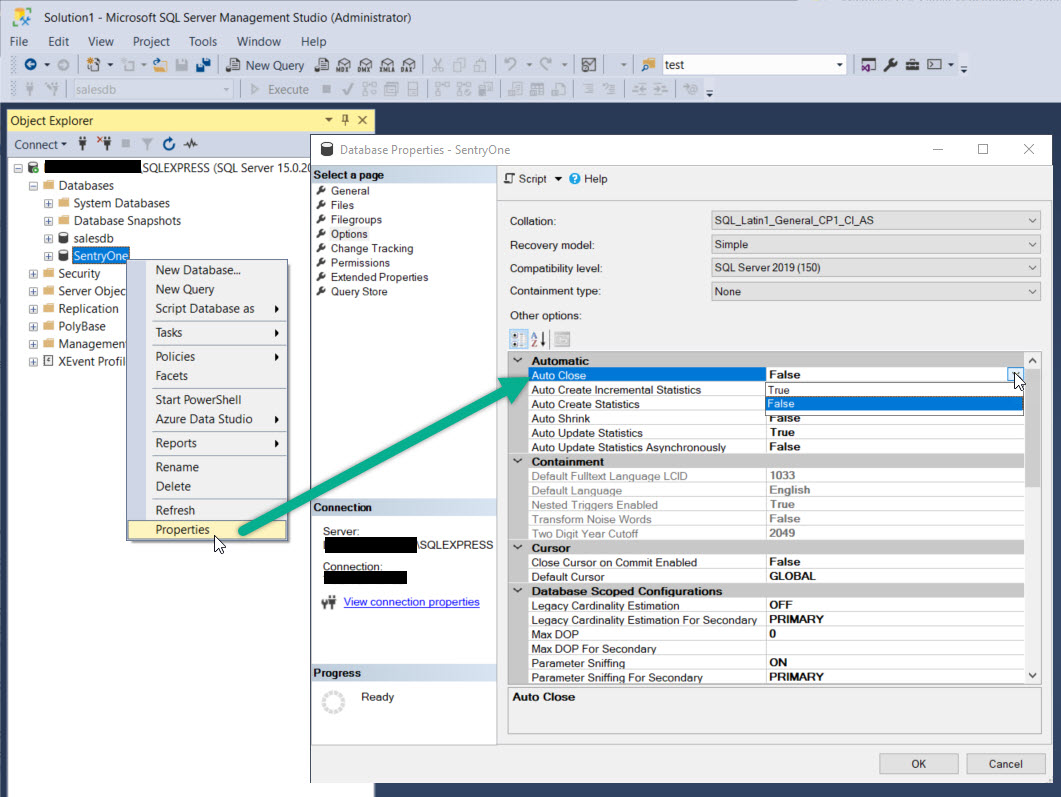
To turn off AUTO_CLOSE, you have two options.
Option 1: Use the Graphical Interface
In SQL Server Management Studio, right-click on the SentryOne, SQL Sentry, or Custom Name database created by the installer, select Properties, and choose the Options tab. Set Auto Close to False and click OK.
OPTION 2: Use the ALTER DATABASE Command in T-SQL
You can also change this setting with a T-SQL script like the following for the SentryOne/SQL Sentry database. Use the name that corresponds to your database, whether it be SentryOne, SQL Sentry, or a custom name:
-- Scripts are not supported under any SolarWinds support program or service.
-- Scripts are provided AS IS without warranty of any kind. SolarWinds further
-- disclaims all warranties including, without limitation, any implied warranties
-- of merchantability or of fitness for a particular purpose. The risk arising
-- out of the use or performance of the scripts and documentation stays with you.
-- In no event shall SolarWinds or anyone else involved in the creation,
-- production, or delivery of the scripts be liable for any damages whatsoever
-- (including, without limitation, damages for loss of business profits, business
-- interruption, loss of business information, or other pecuniary loss) arising
-- out of the use of or inability to use the scripts or documentation.

USE [master]
GO
ALTER DATABASE [SentryOne/SQL Sentry/CustomName] SET AUTO_CLOSE OFF;
GO