
Applications Systems
SAM API Poller Error Authentication failed. The Authorization header is missing
After configuring credentials and assigning API poller, the get response throws this error Authentication failed. The Authorization header is missing
First published date
5/22/2023 2:47 PM
Last published date
2/21/2025 12:17 AM
Overview
You are trying to use the Use API pollers to monitor metrics in SAM (solarwinds.com) feature and have configured the Azure API Permissions for some apps in portal.azure.com and added and assigned Solarwinds API poller(s) after configuring the API Credentials and Auth Type configured is OAUTH 2.0
When you try to get response from azure api, it asks for bearer token, after entering the bearer token. You get the response 200, however when you do not use bearer token (which is how it is supposed to be) you get this error
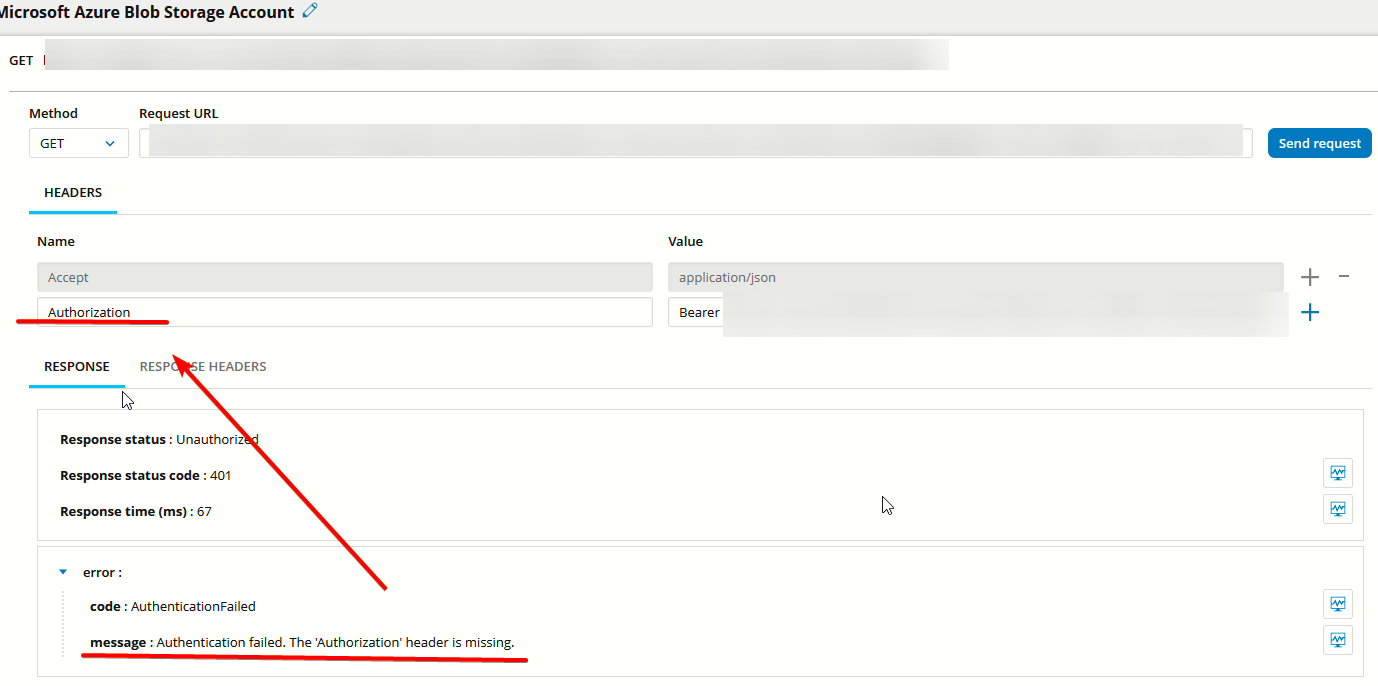
When you try to get response from azure api, it asks for bearer token, after entering the bearer token. You get the response 200, however when you do not use bearer token (which is how it is supposed to be) you get this error
Authentication failed. The Authorization header is missing
Product section
Application Performance Monitor
Cause
Invalid API Poller Credentials configured in Solarwinds.
Resolution
Please follow the steps in Provide credentials for API pollers in SAM (solarwinds.com) and make sure the below parameters match the info from Azure portal account for the Azure app.
- Grant type: The method used by an application to get an access token that authenticates a request to an API endpoint.
- Tenant ID: A unique ID that represents the Azure AD directory where a registered application is stored.
- Client ID: A unique ID that is assigned to an application and service principal during initial provisioning.
- Client Secret: A unique set of characters known only to the application and authorization server.
- Access token URL: The web address of the API provider's authentication server, which exchange an authorization code for an access token.to confirm access to API data.
- Scope: The endpoints of data within an API for which an application can request access. The access token issued to the application will be limited to the scopes granted, including read or write access permissions. For example, to monitor
https://manage.office.comendpoints with the Microsoft 365 Admin Center API poller template, use the following scope:https://manage.office.com/.default.